
Table of contents
Table of Contents
Have you ever wished your lights could match your mood, follow your schedule, or respond to your voice? Imagine walking into your living room, and with a simple voice command or a tap on your phone, your entire space lights up in perfect harmony with your emotions or activity. Welcome to the world of Philips Hue — a revolutionary smart lighting system that turns ordinary homes into intelligent, responsive, and energy-efficient spaces.
In today’s fast-paced world, people crave convenience, comfort, and control. Philips Hue brings all three to your fingertips, combining advanced LED technology with seamless smart integration. Whether you’re looking to create a cozy atmosphere, enhance your security, or simply make your life easier, Philips Hue is designed to adapt to your lifestyle and elevate the way you experience light.
What is Philips Hue?
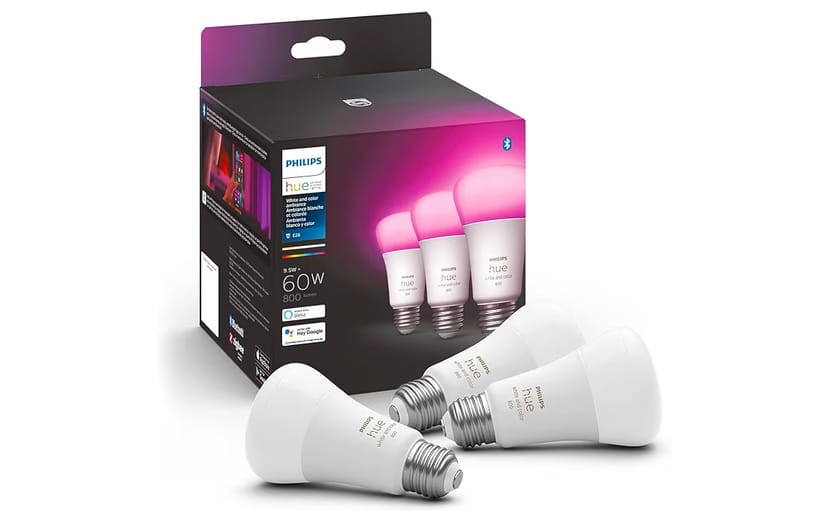
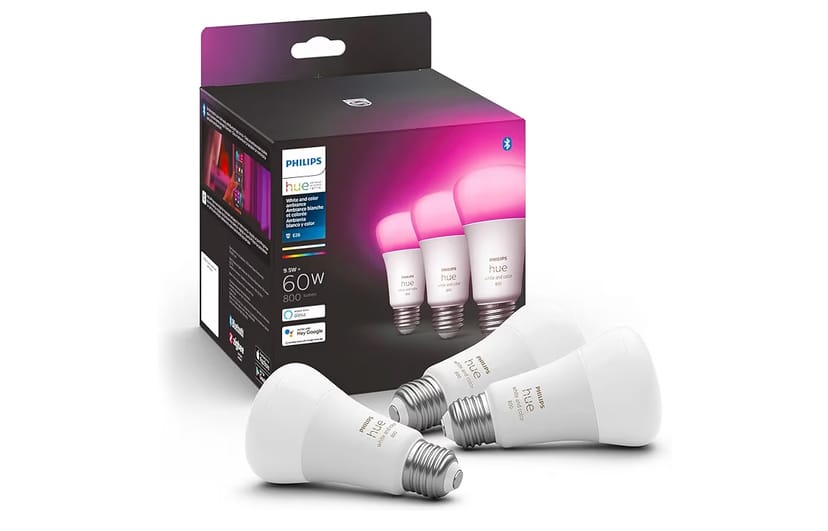
Philips Hue is a cutting-edge smart lighting ecosystem developed by Signify (formerly Philips Lighting). It enables users to control and personalize their lighting through a smartphone app, voice assistant, or automation routines. The system includes a wide range of smart bulbs, LED strips, lamps, and accessories — all interconnected through the Philips Hue Bridge or Bluetooth for effortless communication.
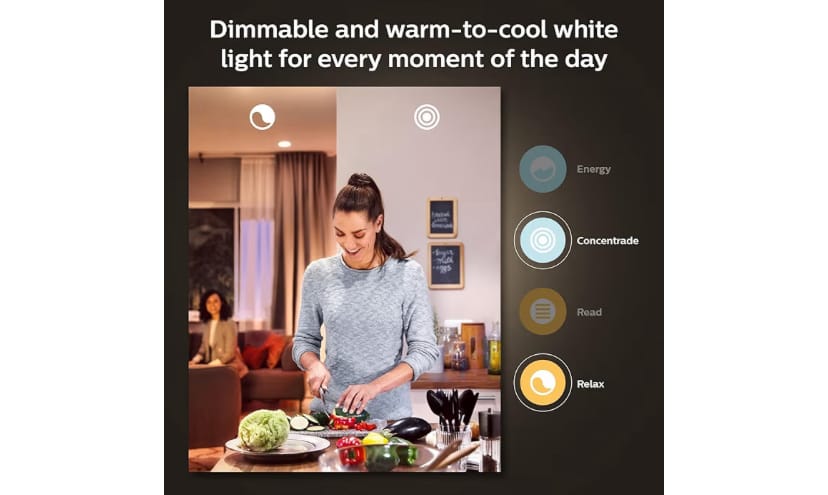
At its core, Philips Hue combines intelligent technology with aesthetic design. You can adjust brightness, color temperature, and even choose from over 16 million colors to set the perfect scene for any occasion. From energizing cool white light in the morning to soothing warm tones at night, Hue transforms your space with precision and personality.
Using the Philips Hue app, you can easily set schedules, sync lights with your favorite music or movies, and control everything remotely. The system works with major voice assistants such as Amazon Alexa, Google Assistant, and Apple HomeKit, allowing complete hands-free convenience. Whether you live in a small apartment or a large smart home, Philips Hue offers scalability and endless customization possibilities.
In short, Philips Hue is more than just lighting — it’s a lifestyle upgrade. It changes how you see your home, how you feel within it, and how you interact with technology every single day.
Top Philips Hue Features and How to Set Up Your Smart Lighting System
Main Features of Philips Hue
When it comes to smart lighting, Philips Hue stands as the gold standard. It’s not just about switching lights on and off — it’s about transforming how you interact with your space. Below are the most impressive features that make Philips Hue a must-have for any modern home.
- 1. Full Color Customization: Choose from over 16 million colors and multiple shades of white to create the perfect ambiance for any occasion — whether it’s a party, movie night, or relaxation time.
- 2. Smart Control Options: Control your lights via the Philips Hue app, voice commands, smart switches, or even motion sensors. Enjoy complete flexibility from anywhere in the world.
- 3. Seamless Voice Integration: Works with Amazon Alexa, Google Assistant, and Apple HomeKit. Just say, “Alexa, turn on the living room lights,” and let Hue do the rest.
- 4. Easy Automation: Set schedules, timers, and routines to make your lights turn on and off automatically. Perfect for simulating presence when you’re away from home.
- 5. Energy Efficiency: Philips Hue uses low-energy LED bulbs that consume up to 80% less electricity than traditional lights, saving you money and reducing your carbon footprint.
- 6. Entertainment Sync: Sync your lights with music, movies, or games to create an immersive experience using the Philips Hue Sync app or compatible entertainment systems.
- 7. Expandable Ecosystem: Start with a single bulb or kit and expand as you go. Philips Hue supports dozens of accessories — from motion sensors to outdoor lights and smart switches.
- 8. Secure Cloud & Offline Control: Control your lights securely even when you’re not at home, and enjoy reliable offline functionality through Bluetooth and Zigbee connectivity.
- 9. Mood and Wellness Lighting: Philips Hue supports circadian lighting, automatically adjusting brightness and color temperature to improve your sleep, focus, and energy levels.
- 10. Long Lifespan & Premium Quality: Each bulb lasts up to 25,000 hours, ensuring long-term reliability and consistent performance.
Practical Guide: How to Set Up Philips Hue Smart Lighting
Setting up your Philips Hue smart lighting system is simple and user-friendly, whether you’re a tech-savvy enthusiast or a first-time smart home user. Follow these steps to get started:
Step 1: Choose Your Starter Kit or Bulbs
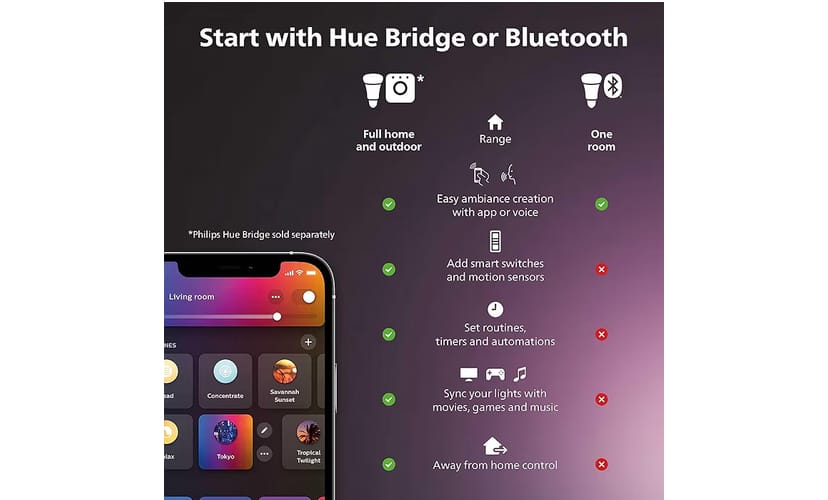
Decide whether you want to start with a Philips Hue Starter Kit (which includes bulbs and a Hue Bridge) or Bluetooth-enabled bulbs that don’t require a hub. The starter kit is ideal for full-home automation, while Bluetooth bulbs are great for smaller setups.
Step 2: Install the Bulbs
Screw in your Philips Hue bulbs just like regular ones. Make sure your light switches are turned on so that the bulbs receive power.
Step 3: Download the Philips Hue App
Install the official Philips Hue app from the App Store or Google Play. This is your central hub for controlling all your lights and settings.
Step 4: Connect the Bridge or Pair via Bluetooth
- With Bridge: Plug in the Hue Bridge to your router using an Ethernet cable, then open the app to detect and pair it with your bulbs.
- With Bluetooth: Simply enable Bluetooth on your smartphone, open the app, and follow the pairing instructions.
Step 5: Customize Your Rooms and Scenes
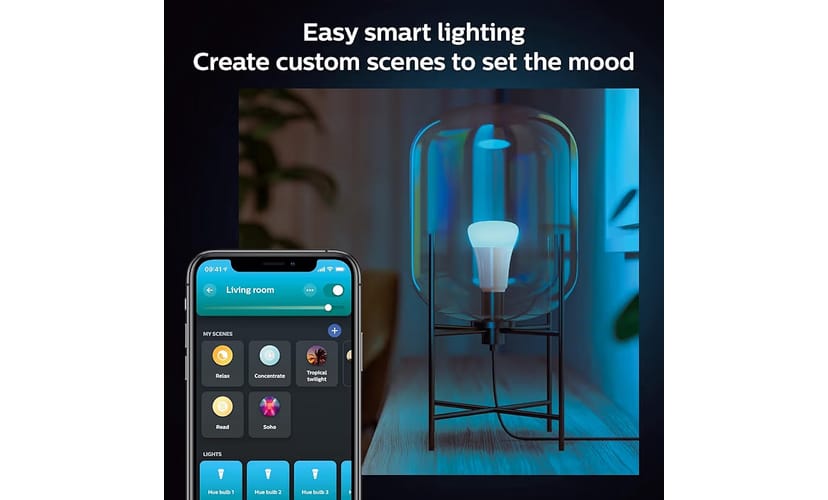
Use the app to create different rooms or zones. Adjust brightness, color, and effects to match your activity — whether it’s reading, cooking, relaxing, or working out.
Step 6: Integrate with Voice Assistants
Connect Philips Hue with Alexa, Google Assistant, or Apple HomeKit for voice control. You can now say commands like “Dim the lights to 50%” or “Turn on movie mode.”
Step 7: Automate Your Lighting
Set schedules, wake-up routines, or geofencing so that your lights turn on when you arrive home and off when you leave. The automation possibilities are endless.
Once you’ve completed these steps, your home lighting will be smarter, more energy-efficient, and personalized to your lifestyle. Philips Hue doesn’t just illuminate your space — it enhances every moment you spend there.
How Philips Hue Improves Your Life: Real Stories and Expert Tips
Benefits of Philips Hue for Everyday Life
Lighting influences more than just visibility — it shapes your mood, productivity, and overall comfort. The Philips Hue smart lighting system elevates your daily routines in subtle yet powerful ways. Here’s how it can improve your lifestyle:
- 1. Enhances Mood and Atmosphere: With over 16 million colors, you can transform your space instantly. Soft warm light for relaxation, bright white for focus, or dynamic colors for a party — the choice is yours.
- 2. Supports Better Sleep and Wellness: Philips Hue mimics natural daylight patterns, helping you wake up gently and fall asleep faster by adjusting color temperature throughout the day.
- 3. Boosts Home Security: Set your lights to turn on automatically at sunset or when you’re away to simulate presence and deter intruders. Philips Hue’s automation makes your home feel lived-in, even when it’s empty.
- 4. Saves Energy and Money: Hue bulbs use advanced LED technology that’s both eco-friendly and long-lasting. By customizing brightness and setting timers, you can cut down your electricity consumption significantly.
- 5. Increases Productivity: For remote workers and students, proper lighting is essential. The “Concentrate” and “Energize” scenes in Philips Hue help maintain focus and reduce eye strain during long work sessions.
- 6. Creates a Smart, Connected Home: Philips Hue integrates seamlessly with other smart devices like thermostats, cameras, and speakers. Everything works in sync for a smoother daily experience.
- 7. Adds Value and Style: Smart lighting enhances the aesthetic and technological appeal of your home — a modern upgrade that impresses guests and future buyers alike.
Real User Stories & Experiences
To truly understand the power of Philips Hue, let’s explore how real users have incorporated it into their daily lives:
1. The Remote Worker’s Productivity Hack
Michael, 34, a software developer, used to struggle with fatigue during late-night coding sessions. After installing Philips Hue, he set his lights to “Energize Mode” during work hours and “Relax Mode” at night. He noticed improved focus, reduced headaches, and a clear separation between work and rest time.
2. The Family Who Turned Their Home into a Theater
Sarah and Tom transformed their living room into a mini cinema by syncing their Philips Hue lights with their home theater system. During movie nights, the lights dim automatically as the film starts — creating a magical, immersive atmosphere that everyone loves.
3. The Traveler’s Security Solution
Daniel, 42, frequently travels for business. By setting automated routines with Philips Hue, his lights turn on and off at random intervals, making it look like someone is always home. This gave him peace of mind and reduced his security concerns while away.
4. The Designer’s Dream Setup
Emily, an interior designer, uses Philips Hue to showcase different lighting moods for her clients. She says, “Hue lets me demonstrate how lighting changes the feel of a space instantly — it’s like having a professional studio in your pocket.”
These stories illustrate that Philips Hue isn’t just technology — it’s a lifestyle enhancer, improving comfort, creativity, and peace of mind in countless ways.
Top 5 Tips to Get the Most Out of Your Philips Hue
To maximize your Philips Hue experience, here are five expert tips that will help you get the most out of your smart lighting setup:
- 1. Experiment with Scenes: Try different pre-set scenes in the Hue app like “Relax,” “Concentrate,” or “Savannah Sunset.” Each scene is designed to match a specific activity or mood.
- 2. Use Routines for Automation: Set wake-up lights that brighten gradually to mimic sunrise, and bedtime lights that dim automatically to signal it’s time to rest.
- 3. Integrate with Smart Assistants: Don’t just use your phone — connect with Alexa or Google Assistant for hands-free convenience. Voice commands make daily life smoother and more intuitive.
- 4. Group Lights by Room or Activity: Create zones in the app (like “Work Area” or “Movie Time”) for faster control and a more organized system.
- 5. Explore Third-Party Apps: Discover apps like Hue Disco or iConnectHue for advanced customization, syncing lights with sound or adding special effects for parties.
By applying these tips, you’ll unlock the full potential of Philips Hue, turning your lighting system into an intelligent assistant that anticipates your needs and enhances every moment.
Philips Hue Smart Lighting: Common Mistakes, Creative Ideas & Full Specs
Common Mistakes When Using Philips Hue (and How to Avoid Them)
While Philips Hue smart lighting is designed for ease of use, some users make small mistakes that limit their experience. Here are the most frequent errors — and how to fix them easily:
- 1. Not Updating the App or Firmware: Many users overlook software updates, missing out on new features and bug fixes. Always keep your Hue app and bulbs updated through the settings menu.
- 2. Poor Wi-Fi or Bridge Placement: Placing the Hue Bridge too far from your router can cause signal drops. Keep it near the router and avoid metal obstructions.
- 3. Mixing Bridge and Bluetooth Modes: Using both connection types in the same setup can cause confusion. Stick with either Bluetooth for small setups or Bridge for advanced automation.
- 4. Forgetting to Name Bulbs Clearly: Giving bulbs generic names like “Light 1” or “Lamp” can make voice commands harder. Name them logically — “Bedroom Lamp” or “Kitchen Spot.”
- 5. Ignoring Energy Settings: Many users forget to set energy-saving scenes. Lowering brightness to 70% still offers great illumination while reducing power consumption.
- 6. Overlooking Grouping and Zones: Failing to group lights by room limits your control efficiency. Use the app to organize zones like “Living Room” or “Garden.”
- 7. Not Using Routines: Without automation, you miss out on Hue’s smartest features. Schedule lights for sunrise, bedtime, or arrival home to enjoy full functionality.
By avoiding these simple mistakes, you’ll ensure smoother performance, stronger connectivity, and an overall better lighting experience with your Philips Hue system.
Creative Ideas to Integrate Philips Hue with Other Smart Devices
Philips Hue isn’t just a lighting system — it’s the backbone of a connected smart home. Here are some innovative ways to combine it with other devices for a truly immersive experience:
- 1. Sync with Smart Speakers: Pair Philips Hue with Amazon Echo or Google Nest to create automated lighting scenes triggered by voice or sound. Example: lights dim automatically when you play soft music.
- 2. Connect to Smart Thermostats: Link your Hue system with Google Nest Thermostat or Ecobee to adjust lighting warmth alongside room temperature for a more natural environment.
- 3. Integrate with Security Cameras: When your smart camera detects movement, Hue can turn on bright lights automatically — an excellent deterrent for intruders.
- 4. Use with Smart Curtains or Blinds: Automate your morning routine by opening blinds and turning on lights simultaneously for a smooth wake-up experience.
- 5. Pair with Smart Plugs: Combine Hue with smart plugs for non-Hue lamps or decorative lighting to create synchronized ambiance throughout your space.
- 6. Enhance Gaming & Entertainment: Sync Philips Hue with consoles like Xbox or PlayStation using the Hue Sync Box to transform your gaming environment with dynamic light effects.
Philips Hue vs LIFX: A Smart Lighting Comparison
Both Philips Hue and LIFX are leading brands in smart lighting, but each offers unique advantages. Here’s a quick comparison to help you decide which fits your lifestyle best:
| Feature | Philips Hue | LIFX |
|---|---|---|
| Connectivity | Bluetooth & Bridge (Zigbee) | Wi-Fi (no hub required) |
| Color Range | 16 million colors | 16 million colors |
| App Control | Philips Hue App (iOS/Android) | LIFX App (iOS/Android) |
| Integration | Works with Alexa, Google, Apple HomeKit, Samsung SmartThings | Works with Alexa, Google, Apple HomeKit |
| Energy Efficiency | Excellent (up to 80% energy saving) | Good (slightly higher power usage) |
| Average Price (per bulb) | $39 – $49 | $34 – $44 |
| Where to Buy | Buy Philips Hue on Amazon | Buy LIFX on Amazon |
While LIFX offers a simpler setup, Philips Hue remains the leader for scalability, reliability, and full smart home integration. If you plan to expand your system in the future, Hue is the more future-proof choice.
Philips Hue Technical Specifications
Below is a summary of the core specifications for Philips Hue smart bulbs and system components:
| Specification | Details |
|---|---|
| Light Type | Smart LED Bulbs (White, White Ambiance, Color Ambiance) |
| Connectivity | Bluetooth, Zigbee via Philips Hue Bridge |
| Color Options | Up to 16 million colors |
| Compatibility | Alexa, Google Assistant, Apple HomeKit, SmartThings |
| Lifespan | Up to 25,000 hours |
| Wattage Equivalent | Up to 60W equivalent brightness |
| Brightness | Up to 800 lumens per bulb |
| Voltage | 110–240V |
| Control Methods | App, Voice, Motion Sensors, Switches |
| Warranty | 2 years limited warranty |
These specifications demonstrate why Philips Hue remains a trusted and premium choice for smart lighting enthusiasts worldwide.
Conclusion: Why Philips Hue is the Smart Choice
After exploring the many ways Philips Hue Smart Lighting can transform your space, it’s clear that this system isn’t just about illumination—it’s about experience. Whether you want to energize your mornings, relax after a long day, or elevate your home’s design, Philips Hue offers the tools to make it happen.
The ecosystem’s compatibility with Alexa, Google Assistant, and Apple HomeKit means you can easily control every aspect of your lighting—without lifting a finger. Its constant innovation, elegant design, and ability to adapt to your lifestyle make it a long-term investment in both comfort and creativity.
💡 Quick Recap
- ✔️ Smart, voice-controlled lighting system.
- 🎨 Endless color customization options.
- 🏡 Enhances mood, design, and security.
- 🔗 Works seamlessly with major smart home platforms.
Whether you’re just starting your smart home journey or upgrading your lighting game, Philips Hue remains one of the top choices for modern, connected living.
🌟 Ready to transform your space? Explore Philips Hue Smart Lighting options today and see your world in a whole new light.
Frequently Asked Questions (FAQs)
1. Do I need a hub to use Philips Hue lights?
Many Philips Hue bulbs work with Bluetooth without needing a hub. However, to unlock full features like automation, remote control, and integration with other smart devices, the Hue Bridge is recommended.
2. Can I control Philips Hue with Alexa or Google Assistant?
Yes! Philips Hue integrates perfectly with Alexa and Google Assistant, allowing you to use voice commands to turn lights on/off, change colors, and adjust brightness.
3. Is Philips Hue energy efficient?
Absolutely. Philips Hue uses LED technology, which consumes less power than traditional bulbs while providing brighter and more vibrant lighting.
4. Can I use Philips Hue outdoors?
Yes, Philips offers a range of weatherproof outdoor lights designed for gardens, patios, and entryways, all controllable through the same Hue app.
5. What makes Philips Hue different from other smart lighting brands?
Philips Hue stands out for its reliability, wide ecosystem, continuous updates, and superior color accuracy—making it a premium choice for smart lighting enthusiasts.
💬 Have more questions? Visit the official Philips Hue store to learn more and explore the latest lighting innovations.
© 2025 | Written with passion and SEO optimization to highlight the brilliance of Philips Hue Smart Lighting.
Is the Alexa Echo Dot the Smart Home Upgrade You’ve Been Waiting For 2025?
Pingback: Why Choose The Ring Floodlight Cam Wired Plus? Discover The Ultimate Home Security Upgrade! - EcoNex
Pingback: Why Everyone Is Talking About Google Nest Hub – Discover The Smart Display That Transforms Your Home 2025 - EcoNex
Pingback: Is The Instant Pot Smart The Future Of Home Cooking? - EcoNex
Pingback: Why Samsung SmartThings Hub Is The Heart Of Every Smart Home 2025 - EcoNex
Pingback: The Ultimate Home Entertainment Experience: Roku Streaming Stick 4K - EcoNex