
Table of contents
Table of Contents
Introduction: Can One Device Make Your Home Truly Smart?
Have you ever wished you could control every aspect of your home with just your voice or a gentle touch? Imagine waking up to your favorite music, checking the weather, or managing all your connected devices without even reaching for your phone. The Google Nest Hub makes this dream a reality. It’s not just another gadget; it’s a digital command center for your smart home.
In today’s fast-paced world, convenience and connectivity are no longer luxuries—they’re expectations. From managing your schedule to controlling smart lights, cameras, and thermostats, Google Nest Hub takes charge with elegance and intelligence. With a sleek 7-inch display, integrated Google Assistant, and smart home compatibility, it’s designed to fit naturally into your daily routine.
Whether you’re a tech lover or someone looking for simplicity, the Google Nest Hub (2nd Gen) adapts to your lifestyle effortlessly. This guide will take you through everything you need to know—how it works, what makes it special, and why it might just become the most essential device in your home.
What Is Google Nest Hub?
The Google Nest Hub is a smart display developed by Google, designed to be the central hub for your smart home ecosystem. It combines the power of the Google Assistant with a vivid touchscreen interface, allowing users to control devices, stream media, view photos, follow recipes, and much more—all hands-free.
At its core, the Google Nest Hub is built to simplify your life. Ask it a question, and it answers instantly. Say “Hey Google, play my morning playlist,” and music fills your room. You can also manage smart devices like lights, thermostats, and security cameras from the display—creating a seamless connection between you and your home.
The second-generation model introduces significant improvements: better sound quality, enhanced voice recognition, and new features like Sleep Sensing, which monitors your sleep patterns without the need for a wearable device. With its intuitive design, the Google Nest Hub fits perfectly in any room—be it the kitchen, bedroom, or living room—acting as a smart assistant, photo frame, alarm clock, and control panel all in one.
Whether you’re setting reminders, watching YouTube videos, or checking who’s at your front door, the Google Nest Hub keeps everything within sight and sound. It’s more than just technology—it’s a lifestyle upgrade.
Top Features and Practical Guide to Using Google Nest Hub in Your Smart Home
Features of Google Nest Hub
The Google Nest Hub isn’t just a smart speaker with a screen—it’s a powerful ecosystem that seamlessly integrates intelligence, design, and convenience. Below are the standout features that make this device one of the most popular smart home hubs in the world.
- 1. 7-Inch High-Resolution Touchscreen Display: The Nest Hub’s crisp and vibrant display allows you to watch videos, view photos, and check the weather in stunning clarity. The adaptive brightness adjusts automatically to match your room’s lighting conditions, making it easy on your eyes day and night.
- 2. Integrated Google Assistant: At the heart of the device is Google Assistant, your personal voice-powered helper. You can ask it anything—from the day’s headlines and calendar events to cooking recipes and smart home controls.
- 3. Sleep Sensing Technology: Exclusive to the 2nd Gen model, this feature uses motion and sound detection to monitor your sleep without needing a wearable. It helps you understand your sleep patterns and provides personalized recommendations for better rest.
- 4. Superior Audio Quality: With 50% stronger bass compared to the first-generation Nest Hub, you’ll enjoy deeper and richer sound whether you’re listening to music, watching YouTube, or streaming your favorite podcast.
- 5. Smart Home Integration: The Google Nest Hub connects effortlessly with thousands of smart home devices including Philips Hue lights, Nest thermostats, and Ring cameras. You can control them all through simple voice commands or the on-screen dashboard.
- 6. Voice Match and Personalization: Google’s Voice Match technology recognizes individual voices, giving each family member personalized responses for calendars, reminders, and daily routines.
- 7. Visual Entertainment Hub: From YouTube videos to Netflix and Spotify, the Nest Hub offers endless entertainment options, all accessible hands-free. It’s like having a mini TV and smart speaker combined into one sleek device.
- 8. Privacy and Control: Google has built-in privacy protection with a physical microphone mute switch and user-friendly privacy controls. You can review and delete activity data anytime, ensuring peace of mind.
- 9. Compact and Elegant Design: Its minimalistic style and fabric finish make it a perfect match for any décor. Whether placed on a nightstand or kitchen counter, it blends functionality with elegance.
- 10. Sustainable Manufacturing: The device is made from 54% recycled plastic components, aligning with Google’s environmental commitment.
With these features combined, the Google Nest Hub (2nd Gen) redefines what it means to live in a smart home—making your daily life more connected, efficient, and enjoyable.
Practical Guide: How to Use Google Nest Hub Effectively
Getting started with your Google Nest Hub is easy and intuitive. Whether you’re setting it up for the first time or expanding your smart home, these simple steps will help you unlock its full potential.
Step-by-Step Setup Guide
- Unbox and Power On: Plug the device into a power outlet. The screen will light up and guide you through the initial setup process.
- Download the Google Home App: Install the Google Home app on your smartphone (available on iOS and Android). Open the app and tap the “+” icon to add a new device.
- Connect to Wi-Fi: Follow the on-screen prompts to connect your Nest Hub to your home Wi-Fi network. This ensures the device can communicate with Google services and other smart devices.
- Link Your Google Account: Sign in using your Google account. This syncs your calendar, reminders, and preferences, allowing for a personalized experience.
- Customize Voice Match: Train the device to recognize your voice. This allows personalized responses such as “Hey Google, what’s on my schedule?” or “Hey Google, play my playlist.”
- Add Smart Devices: Use the Google Home app to connect compatible smart home devices—lights, cameras, plugs, and thermostats. You can control them all using the Nest Hub display or voice commands.
- Explore Routines: Create custom routines to automate your day. For instance, say “Good morning,” and the Nest Hub can turn on lights, read your schedule, and play news updates.
- Adjust Settings and Privacy: Go to the settings menu on your device to adjust brightness, volume, and privacy preferences. You can also mute the mic whenever you prefer.
Connecting with Other Devices
The Nest Hub works seamlessly with smart products from brands like Philips Hue, TP-Link, Arlo, Ring, and Nest. You can view live camera feeds, adjust lighting intensity, or even check who’s at your door—all from one screen.
If you have multiple Google devices, the Hub acts as the control center. You can broadcast messages to other Google speakers, manage music groups, or check the status of devices throughout your home.
Once you’ve completed setup, you’ll realize how easily Google Nest Hub becomes part of your routine—whether for cooking recipes, setting alarms, or unwinding with your favorite videos at the end of the day.
How Google Nest Hub Improves Your Daily Life – Real Benefits and User Stories
Benefits of Google Nest Hub in Everyday Life
The Google Nest Hub goes beyond being a smart gadget—it becomes an integral part of your lifestyle. Whether it’s your morning alarm, home security, or entertainment, this device transforms the way you interact with your surroundings. Here’s how it enhances your daily life.
1. A Smarter Morning Routine
Start your day the intelligent way. With a simple “Hey Google, good morning,” the Nest Hub greets you with the weather forecast, news updates, your schedule, and even traffic conditions. It can also control your lights and thermostat to create the perfect morning atmosphere. No need to check your phone—everything you need is right on the screen.
2. Effortless Home Control
Imagine dimming the lights, adjusting the temperature, or checking your security camera without lifting a finger. The Google Nest Hub centralizes control of your smart devices. It integrates with brands like Nest, Philips Hue, and Arlo, letting you manage your home with voice commands or simple taps.
3. Time and Energy Efficiency
By automating daily tasks—such as switching off lights or adjusting the thermostat when you leave—the Nest Hub helps save time and reduces energy waste. It’s an eco-friendly companion designed to make your home both smart and sustainable.
4. Family Connection and Organization
The Nest Hub helps families stay connected and organized. Shared calendars, reminders, and to-do lists keep everyone on track. It also serves as a digital photo frame, displaying cherished memories from Google Photos, bringing warmth to your home.
5. Better Sleep and Health Tracking
Thanks to its innovative Sleep Sensing technology, the Google Nest Hub tracks your sleep quality, breathing, and movement patterns—without a wearable. It provides personalized insights and recommendations, helping you improve your rest and overall well-being.
6. Entertainment Made Simple
From streaming music on Spotify and YouTube Music to watching Netflix or YouTube videos, the Nest Hub offers endless entertainment. The improved audio performance makes every sound richer and clearer, transforming your room into a cozy entertainment hub.
7. Hands-Free Help in the Kitchen
Cooking becomes easier and more fun with Google Nest Hub. You can follow step-by-step recipes, set timers, or convert measurements without touching your phone. It’s your personal cooking assistant that never gets tired.
With all these features combined, the Google Nest Hub brings comfort, efficiency, and intelligence into your everyday life—making it an essential addition to any smart home.
User Experiences and Real-Life Stories
One of the most compelling ways to understand the true value of Google Nest Hub is by hearing how real people use it in their homes. Here are a few examples that show its versatility and impact.
1. Sarah’s Morning Routine Revolution
Sarah, a busy professional and mother of two, used to struggle with chaotic mornings. After setting up routines on her Google Nest Hub, her mornings became seamless. At 6:30 a.m., lights turn on gradually, the weather forecast appears, and her favorite morning playlist starts playing—all automatically. “It’s like having a personal assistant who knows exactly what I need,” she says.

2. David’s Smart Home Security Upgrade
David installed smart cameras and linked them with his Nest Hub. Now, he can check who’s at the door, monitor his driveway, and control the locks—all from the display or via voice commands. “It gives me peace of mind when I’m traveling,” he explains. “It’s not just convenience—it’s security.”
3. Emma’s Wellness Transformation
As someone who struggled with inconsistent sleep, Emma found the Sleep Sensing feature life-changing. By tracking her sleep patterns, the device offered insights and tips to improve rest. Within weeks, she reported better energy levels and a more consistent routine.
4. Mark’s Entertainment Centerpiece
For Mark, the Nest Hub became the heart of his living room. He uses it to stream his favorite shows, display vacation photos, and even control his sound system. “It’s the most interactive and personal piece of tech I’ve owned,” he says.
From families and professionals to tech enthusiasts and seniors, Google Nest Hub fits effortlessly into every lifestyle. Its ability to adapt, learn, and simplify tasks makes it not just a device—but a trusted daily companion.
Expert Tips, Mistakes to Avoid, and Smart Integrations for Google Nest Hub
Top 5 Tips for Using Google Nest Hub Effectively
To get the most out of your Google Nest Hub, you need to explore its full potential. These expert tips will help you unlock hidden features and create a truly connected home experience.
- 1. Set Up Custom Routines: Create personalized routines that automate daily tasks. For example, “Hey Google, bedtime” can dim your lights, lock the doors, and set your alarm—all at once.
- 2. Use Voice Match for Family Members: Let each person in your household train their voice. This way, the Nest Hub gives individualized results for reminders, schedules, and preferences.
- 3. Explore Multi-Room Audio: Pair multiple Google speakers to enjoy synchronized music throughout your home. You can control volume and playback for each room using the Hub.
- 4. Enable Night Mode: Reduce brightness and limit notifications at night for better sleep. Night Mode ensures your device adapts to your lifestyle instead of interrupting it.
- 5. Integrate Streaming Services: Connect your favorite platforms like Spotify, Netflix, and YouTube to turn your Hub into a complete entertainment center.
By following these tips, your Google Nest Hub becomes not only a convenience tool but a daily life enhancer.
Common Mistakes and How to Avoid Them
While Google Nest Hub is easy to use, new users sometimes make simple mistakes that can reduce their experience. Here’s how to avoid them:
- 1. Ignoring Privacy Settings: Many users forget to review privacy settings. Always check and customize what data Google collects and how it’s used. You can delete voice activity anytime.
- 2. Weak Wi-Fi Connection: If your Hub is far from your router, it might lag or disconnect. Keep it within strong Wi-Fi range for smoother performance.
- 3. Not Updating Firmware: Google releases updates regularly to improve performance and security. Always ensure your Hub runs on the latest software.
- 4. Overlooking Routines: One of the Hub’s strongest features is automation. Don’t miss out—set up routines for morning, evening, or even “movie time.”
- 5. Ignoring Sleep Sensing Calibration: For accurate sleep tracking, position your Hub properly near your bedside and ensure the sensor isn’t blocked.
Avoiding these common pitfalls ensures that your Google Nest Hub continues to operate efficiently and securely.
Creative Ways to Integrate Google Nest Hub with Other Devices
Your Google Nest Hub becomes even more powerful when connected with other smart home products. Here are a few creative integration ideas:
- Smart Lighting Scenes: Pair your Hub with Philips Hue or Nanoleaf to set lighting moods. Say “Hey Google, movie time,” and watch the lights dim automatically.
- Doorbell Display: Connect to Ring or Nest Hello so you can see who’s at your door instantly on the screen.
- Security and Cameras: Integrate Arlo or Google Nest Cam feeds for live monitoring directly on your Hub’s display.
- Home Theater Control: Sync with Chromecast or Google TV for easy content streaming and voice-activated control.
- Kitchen Productivity: Link smart appliances like coffee makers or cookers that can be activated with voice commands, turning your kitchen into a futuristic workspace.
These integrations allow you to experience the full vision of a connected smart home, where comfort, convenience, and creativity blend seamlessly.
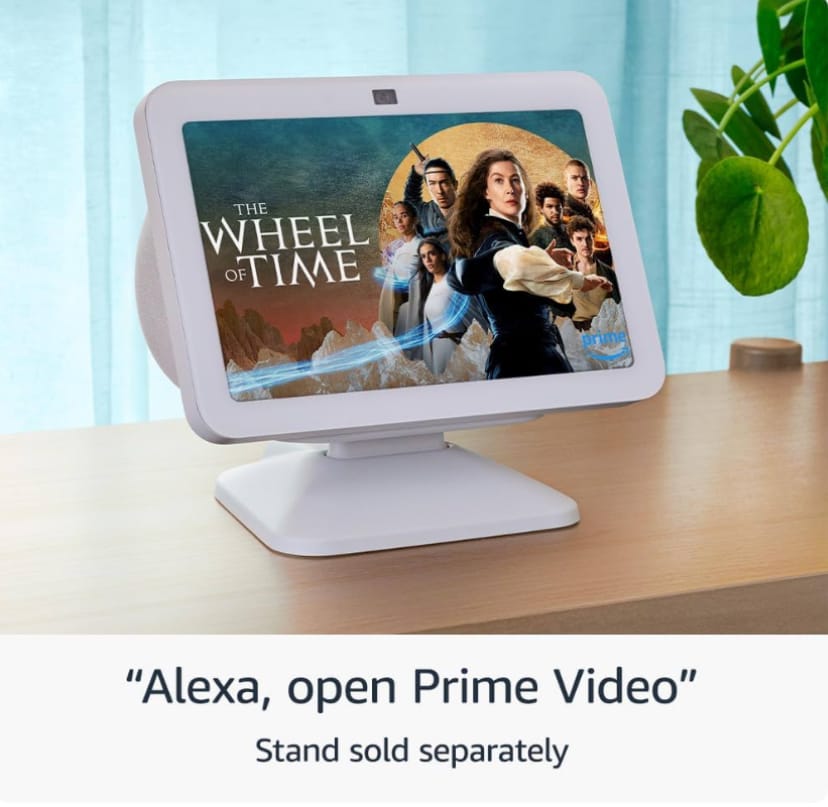
Comparison: Google Nest Hub vs. Amazon Echo Show 8
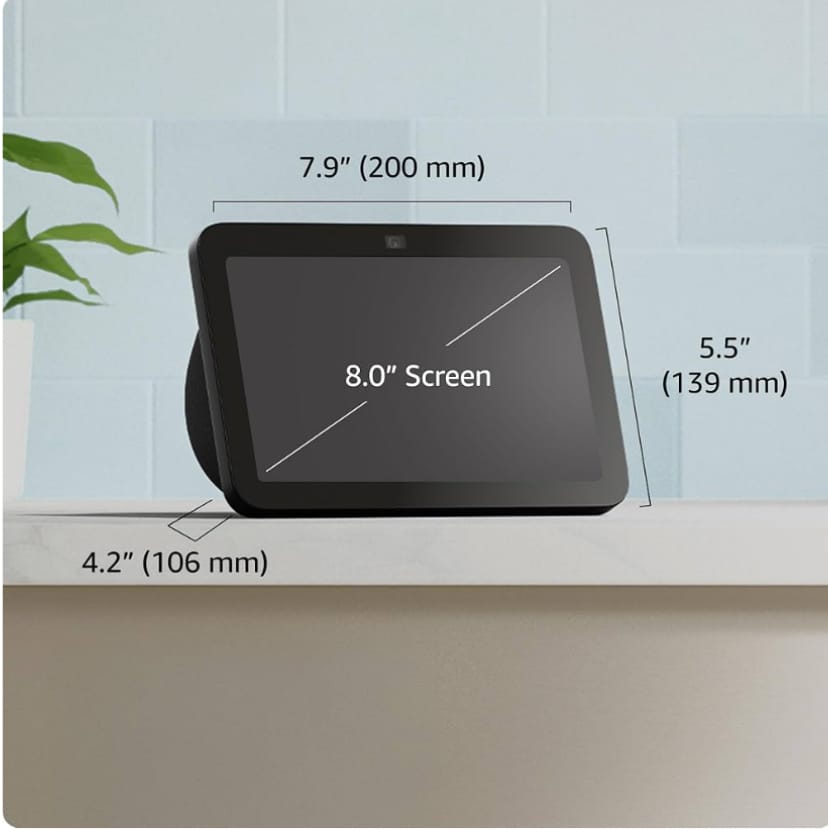
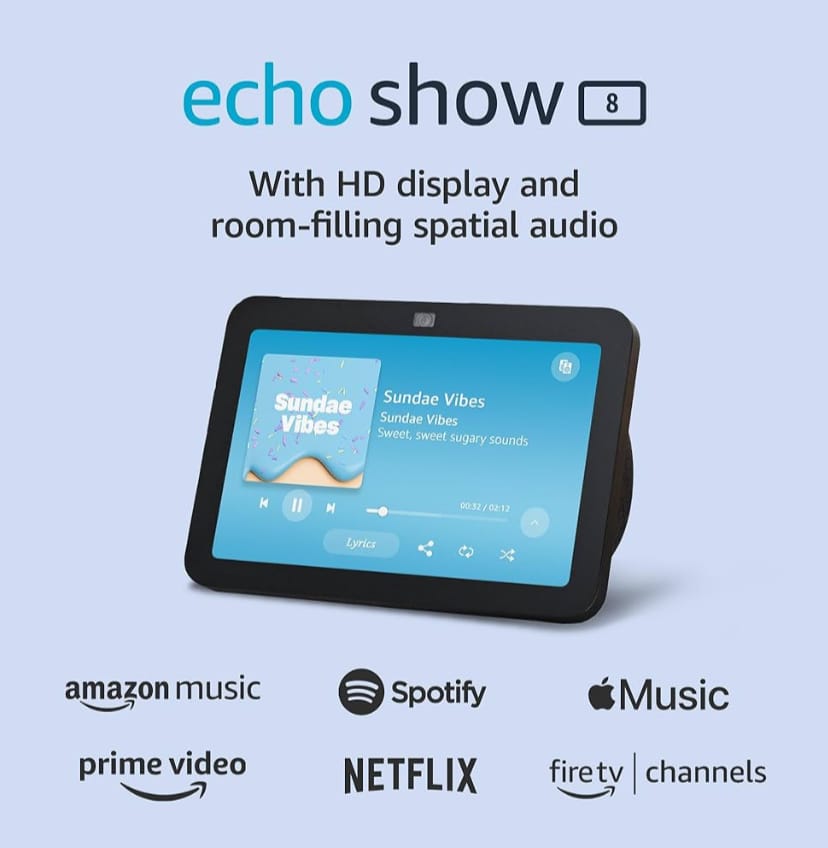
Both the Google Nest Hub (2nd Gen) and the Amazon Echo Show 8 are top contenders in the smart display market. Below is a quick comparison to help you decide which one suits your needs best.
| Feature | Google Nest Hub (2nd Gen) | Amazon Echo Show 8 (2nd Gen) |
|---|---|---|
| Display Size | 7 inches | 8 inches |
| Voice Assistant | Google Assistant | Amazon Alexa |
| Sleep Tracking | Yes (Sleep Sensing) | No |
| Camera | No camera (for privacy) | 13MP camera (video calls) |
| Audio Quality | 50% stronger bass than previous model | Rich stereo sound |
| Smart Home Integration | Google Home Ecosystem | Alexa Smart Home Ecosystem |
| Price Range | $99 – $129 | $109 – $139 |
| Buy Link | Buy on Amazon | Buy on Amazon |
If you value privacy, sleep tracking, and seamless Google integration, the Google Nest Hub is the better choice. However, if you prefer video calls and Alexa’s ecosystem, the Echo Show 8 might be a good alternative.
Google Nest Hub (2nd Gen) – Technical Specifications
| Specification | Details |
|---|---|
| Display | 7-inch LCD touchscreen (1024 x 600 resolution) |
| Audio | Full-range speaker with 50% stronger bass |
| Microphones | Three far-field microphones with Voice Match |
| Connectivity | Wi-Fi 802.11b/g/n/ac (2.4/5 GHz), Bluetooth 5.0 |
| Processor | Quad-core 64-bit ARM CPU |
| Power | 15W power adapter |
| Sleep Tracking | Motion Sense powered by Soli radar technology |
| Dimensions | 177.4 x 120.4 x 69.5 mm |
| Weight | Approx. 485g |
| Color Options | Chalk, Charcoal, Sand, Mist |
| Environment | 54% of plastic parts made from recycled materials |
These specifications highlight the thoughtful design and powerful performance that make the Google Nest Hub (2nd Gen) a top-tier choice for anyone looking to build or upgrade their smart home setup.
Google Nest Hub (2nd Gen) – CTA & Conclusion
Call to Action (CTA) — Grab Your Google Nest Hub Now
Ready to transform your home with effortless voice control, smarter routines, and sleep insights? Get the Google Nest Hub (2nd Gen) today and start enjoying a more connected, convenient life. Buy on Amazon now and unlock smarter mornings, safer nights, and a home that responds to you.
Conclusion: Why Google Nest Hub Deserves a Spot in Your Home
The Google Nest Hub (2nd Gen) strikes an exceptional balance between practicality, privacy, and delightful design. It’s not just a screen with a speaker — it’s a daily companion that simplifies routines, supports healthier sleep through Sleep Sensing, and centralizes control of the devices that matter most. For families, it acts as a shared information center; for individuals, it’s a personal assistant that respects privacy while offering powerful automation and entertainment. Its seamless integration with Google services and broad smart-home compatibility means it grows more useful over time as you add devices and refine routines.
Whether you place it in the kitchen for hands-free recipes, the bedroom for sleep insights and gentle alarms, or the living room as an entertainment hub, the Nest Hub delivers real value. Considering its modest size, elegant design, and thoughtful features, it’s an accessible upgrade that can meaningfully improve everyday comfort, security, and efficiency. If you’re building a smart home or simply want a smarter daily routine, the Nest Hub is one of the most practical and user-friendly choices available today.
Explore More — Linked Articles & Next Steps
Want to dive deeper? Here are a few related guides you might find helpful — perfect for linking internally and keeping readers engaged:
- Why Choose the Ring Floodlight Cam Wired Plus? Discover the Ultimate Home Security Upgrade! 2025
- Philips Hue :Are You Ready to Transform Your Home? Discover the Power of Philips Hue Smart Lighting 2025
- Is the Alexa Echo Dot the Smart Home Upgrade You’ve Been Waiting For 2025?
Final Encouragement
Don’t wait to make your home smarter and more responsive—grab your Google Nest Hub today on Amazon and begin exploring routines, sleep insights, and hands-free convenience that truly fit your lifestyle.


Pingback: Is The Instant Pot Smart The Future Of Home Cooking2025? - EcoNex
Pingback: Why Roku Streaming Stick 4K Is The Ultimate Way To Stream In 2025 - EcoNex
Pingback: Why Samsung SmartThings Hub Is The Heart Of Every Smart Home 2025 - EcoNex