
Table of contents
Table of Contents
Introduction
Have you ever wondered why your electricity bill keeps climbing even when you feel like you’re not using that much power? Many homeowners struggle with understanding where their energy actually goes. Between lighting, heating, kitchen appliances, and countless smart devices, keeping track of power consumption can seem impossible. But what if you could monitor every watt of electricity in real-time and instantly see what’s costing you the most? That’s exactly what the Sense Energy Monitor offers.
Designed for homeowners who want to take control of their energy usage, the Sense Energy Monitor provides clear, actionable insights into how electricity is used throughout your home. This powerful device turns confusing data into simple, visualized information that helps you make smarter decisions. Whether you’re trying to reduce your energy bill, identify faulty devices, or simply live more sustainably, Sense gives you the knowledge to make it happen. In this guide, we’ll explore every aspect of this smart energy solution—how it works, its features, and how it can transform your home into a model of energy efficiency.
What is the Sense Energy Monitor?
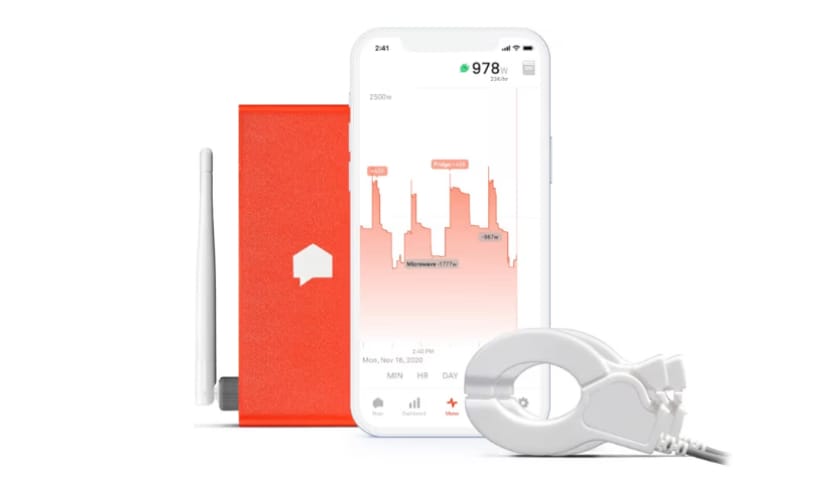
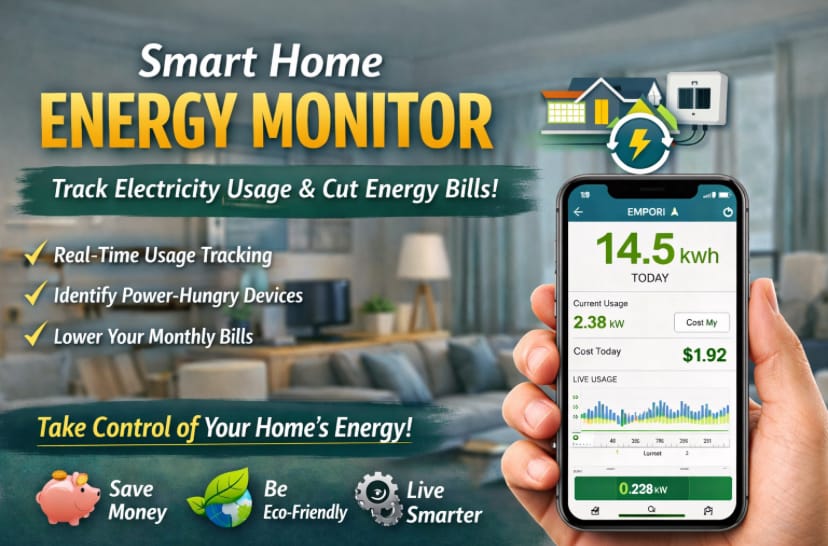
The Sense Energy Monitor is a cutting-edge smart home device designed to help you understand and manage your electricity consumption in real-time. Installed directly into your home’s electrical panel, it tracks the flow of electrical current across all circuits and translates that data into meaningful insights displayed through an intuitive mobile app. You can see which appliances are running, how much power they’re using, and how your energy usage changes throughout the day—all without guessing or waiting for your monthly bill.
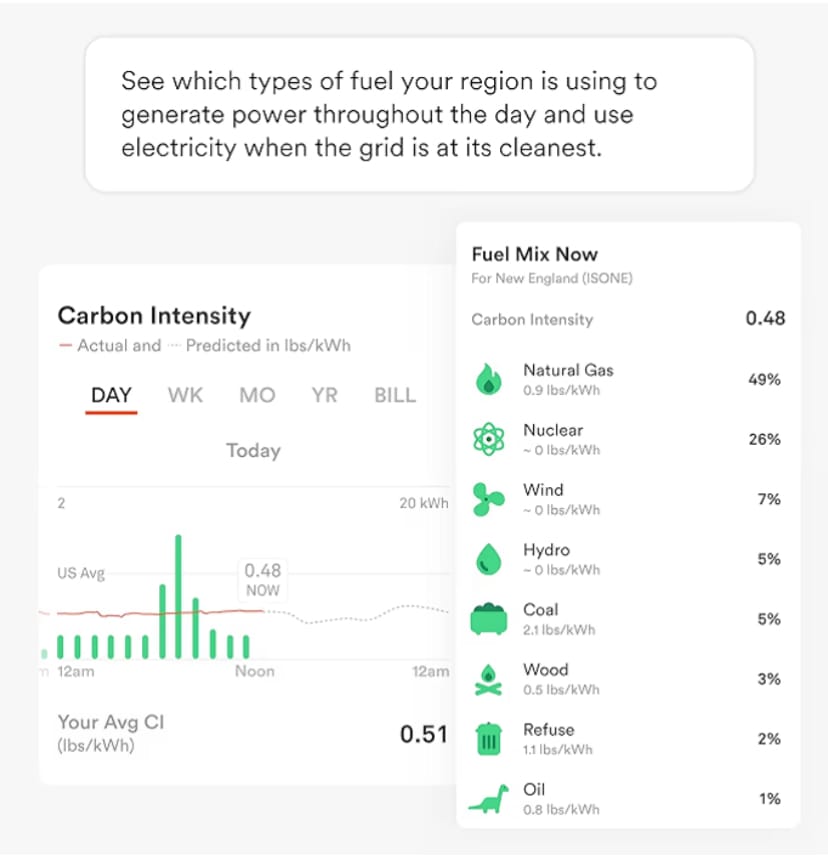
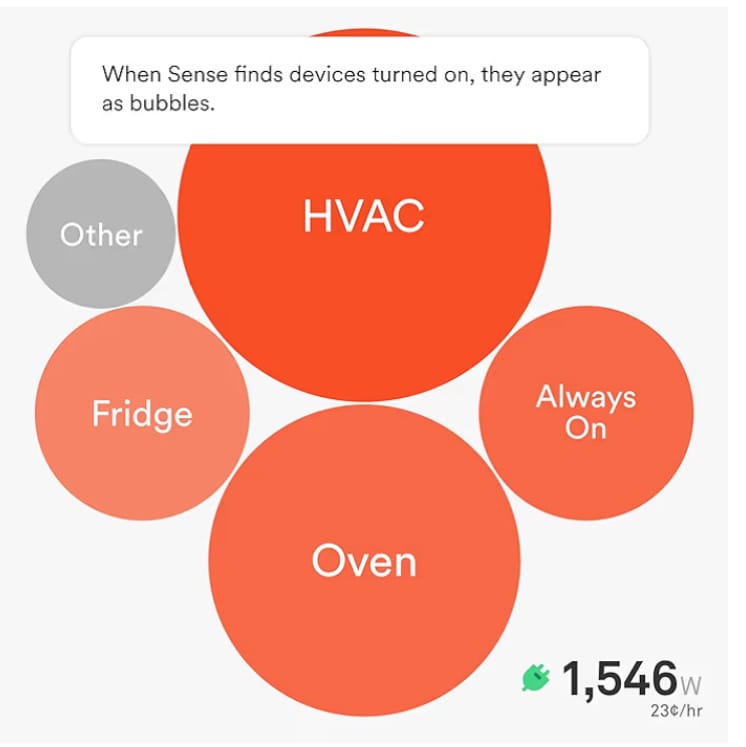
Sense uses advanced machine learning algorithms to recognize patterns in your home’s electrical signals. Over time, it learns to identify specific devices—like your refrigerator, washing machine, or TV—based on their unique energy signatures. The app then provides a clear dashboard showing energy consumption trends, estimated costs, and even notifications when certain devices turn on or off.
What makes the Sense Energy Monitor truly special is its combination of precision and accessibility. You don’t need to be an engineer or data scientist to interpret the results. The interface is simple, interactive, and available for both iOS and Android devices, as well as desktop browsers. Once installed, the Sense system operates quietly in the background, constantly analyzing data and empowering you with real-time energy awareness that can save you money and reduce your carbon footprint.
Sense Energy Monitor Features and Practical User Guide
Top Features of the Sense Energy Monitor
The Sense Energy Monitor is not just another gadget—it’s a revolutionary tool for anyone serious about understanding their home’s energy consumption. Packed with advanced technology and intelligent software, Sense offers a host of features designed to make energy tracking accurate, informative, and effortless. Below are some of the standout features that make Sense one of the best smart home devices for energy monitoring.
- Real-Time Energy Monitoring: Sense delivers real-time updates on how much electricity your home is using, allowing you to see immediate changes whenever a device is turned on or off.
- Device Recognition via Machine Learning: Using AI algorithms, Sense can identify specific devices based on their energy signatures, giving you a clear picture of what’s consuming power.
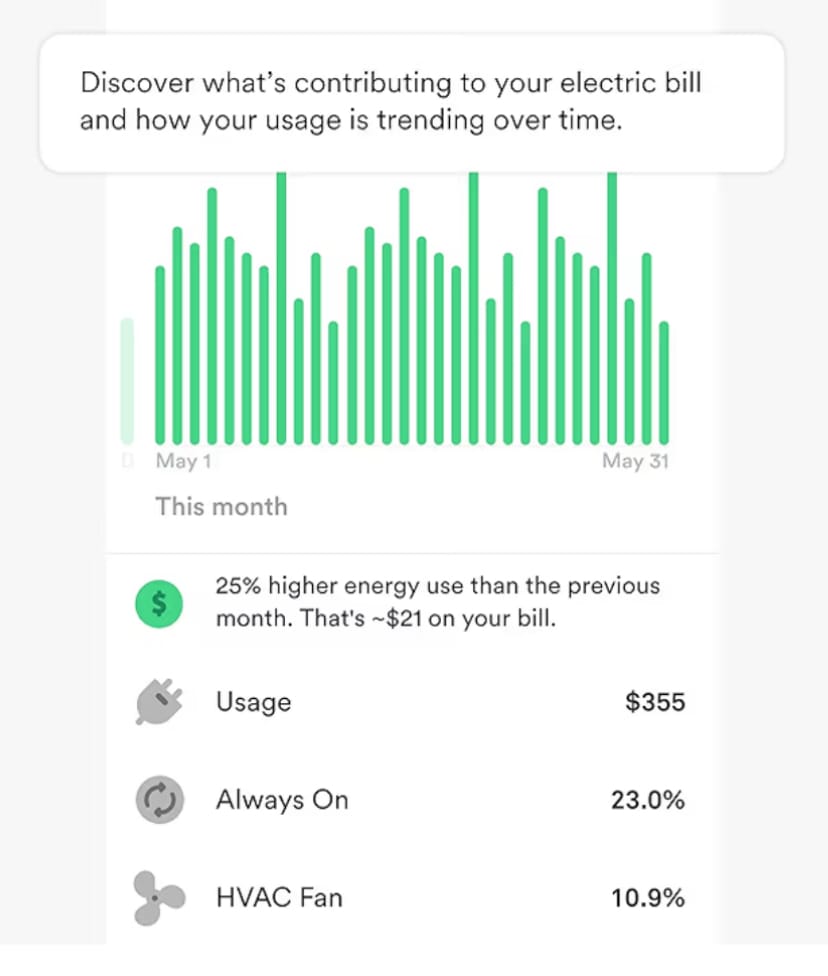
- Detailed Mobile App Dashboard: The Sense app offers an intuitive interface showing daily, weekly, and monthly energy usage patterns. It even breaks down cost estimates to help you manage your utility bills.
- Smart Alerts and Notifications: Receive instant notifications when important devices turn on, off, or behave abnormally—helping you detect potential issues early.
- Solar Integration: If you have solar panels, the Sense Solar version allows you to monitor both energy consumption and solar production simultaneously, maximizing your savings potential.
- Energy Efficiency Insights: The system analyzes your usage over time and provides personalized tips to help you reduce waste and improve efficiency.
- Smart Home Compatibility: Sense integrates seamlessly with platforms like Amazon Alexa, Google Assistant, and other smart home devices, enabling you to monitor energy through voice commands.
- Historical Data & Trends: Track months of energy history and spot long-term trends that could indicate inefficient appliances or behavioral patterns that increase consumption.
- Easy Installation: Designed for professional installation within your electrical panel, the Sense Energy Monitor setup is quick, safe, and minimally invasive.
- Secure Cloud-Based Data: All your energy data is securely stored and backed up in the cloud, accessible anytime through your account.
Each feature of Sense contributes to building a complete picture of your home’s electrical behavior. The result is not just data—it’s insight. These insights can lead to smarter energy choices, lower bills, and a stronger commitment to sustainability.
Practical Guide: How to Use the Sense Energy Monitor
Getting started with the Sense Energy Monitor is easier than you might think. Though installation should be performed by a qualified electrician, using the device and app afterward is simple enough for anyone. Below is a step-by-step guide to help you make the most of your new energy monitoring system.
- Step 1: Purchase and Prepare
Order your Sense Energy Monitor from a trusted retailer and ensure you have a compatible electrical panel. You’ll also need a reliable Wi-Fi connection to sync the device with the Sense app. - Step 2: Professional Installation
Have a licensed electrician install the device inside your main electrical panel. The installation typically takes about 30 minutes and involves connecting two current sensors around the main power lines and a Wi-Fi antenna. - Step 3: Connect to Wi-Fi and the App
Once installed, download the Sense app from the App Store or Google Play. Follow the on-screen prompts to connect the monitor to your home Wi-Fi network and create an account. - Step 4: Calibration and Learning Phase
After setup, Sense begins a learning process that can take days or weeks. During this time, it analyzes the electrical signals in your home to recognize and label devices automatically. - Step 5: Monitor and Explore
Open the app at any time to see real-time power consumption, energy trends, and historical data. You can monitor total usage or individual devices as Sense identifies them. - Step 6: Set Notifications and Goals
Customize alerts to notify you when specific appliances turn on, stay on too long, or use excessive energy. You can also set daily or monthly consumption goals to stay on track. - Step 7: Integrate with Smart Home Devices
Connect Sense with Amazon Alexa or Google Assistant for voice-based energy queries. For example, you can ask, “Alexa, how much power am I using right now?” to get instant updates. - Step 8: Review Insights and Take Action
Over time, use the insights gathered to identify high-energy appliances or unusual patterns. Replace or repair inefficient devices to save even more energy and money.
Following these steps, you’ll quickly turn your Sense Energy Monitor into the heartbeat of your home’s power management system. With minimal effort, you’ll gain visibility, control, and confidence in how your home consumes energy every day.
Benefits and User Stories of the Sense Energy Monitor
Benefits of the Sense Energy Monitor for Home and Daily Life
The Sense Energy Monitor isn’t just a device—it’s a lifestyle upgrade. By providing visibility into how electricity flows through your home, Sense empowers you to make smarter, faster, and more responsible decisions. Whether you want to save on bills, detect inefficiencies, or live sustainably, here’s how Sense can make a difference in your day-to-day life.
1. Reduced Energy Bills
With real-time tracking, you can pinpoint exactly which appliances are using the most power. Many users discover that small, unnoticed devices like gaming consoles, dehumidifiers, or standby electronics contribute significantly to energy waste. By identifying and managing them, you can save up to 20% on your monthly electricity costs.
2. Improved Energy Awareness
Sense turns invisible power consumption into clear, visual data. When you see how much energy your air conditioner uses compared to your refrigerator, you naturally start making more conscious choices. Over time, these small behavioral changes lead to big savings and a stronger environmental impact.
3. Smart Home Optimization
Integrated with smart home systems like Alexa and Google Assistant, the Sense Energy Monitor helps you automate tasks based on energy usage. For instance, you can set routines that automatically turn off lights or appliances when not needed—enhancing convenience while saving power.
4. Early Problem Detection
Have you ever had an appliance malfunction that went unnoticed until it was too late? Sense can alert you to abnormal power patterns that might indicate a problem, such as a failing HVAC system or refrigerator compressor. Detecting issues early prevents costly repairs and reduces downtime.
5. Environmental Sustainability
By cutting unnecessary energy usage, you’re not just saving money—you’re helping the planet. Sense encourages eco-conscious living by highlighting areas where you can reduce waste and carbon emissions. Every kilowatt saved counts toward a greener, more sustainable home.
6. Increased Home Safety
Unexpected energy spikes can sometimes indicate unsafe conditions, like faulty wiring or devices left running. The Sense Energy Monitor can notify you instantly, allowing you to take quick action to protect your home and loved ones.
7. Data for Better Decision-Making
With months of detailed historical data, you can make smarter upgrades—like choosing energy-efficient appliances or installing solar panels based on real insights. Sense gives you the data you need to invest wisely in your home’s energy future.
In essence, Sense gives you more than control—it gives you peace of mind. It transforms your home into a responsive, energy-smart environment where every watt is accounted for.
User Stories and Real-Life Experiences
Thousands of homeowners have already discovered the advantages of the Sense Energy Monitor. Their stories showcase how this device can truly change the way you understand and interact with your home’s energy consumption. Let’s take a look at a few inspiring examples:
Story 1: Cutting Costs and Detecting Energy Waste
“After installing the Sense Energy Monitor, I discovered that my pool pump was running far longer than needed every day. Adjusting its schedule saved me nearly $40 a month!” — Michael, California
Michael’s experience highlights how Sense can reveal inefficiencies that often go unnoticed. Small adjustments based on accurate data can lead to substantial savings.
Story 2: A Smarter, More Sustainable Home
“I’ve always cared about reducing my environmental footprint. Sense gave me the visibility to make real changes—like switching off idle devices and timing laundry during off-peak hours.” — Emily, New York
Emily turned energy awareness into daily habits, cutting both her utility bills and her household’s carbon output. Sense provided the motivation and insights she needed to live sustainably.
Story 3: Preventing a Costly Appliance Failure
“One morning, my Sense app alerted me to a power surge from my refrigerator. Turns out, the compressor was about to fail. Fixing it early saved me hundreds in food and repair costs.” — Robert, Texas
Robert’s story shows how Sense goes beyond monitoring—it acts as an early warning system for potential electrical issues, providing both safety and savings.
Story 4: Peace of Mind for Tech-Loving Families
“With multiple gaming consoles, TVs, and computers, I used to stress about the electric bill. Now, I can check my phone and know exactly what’s running. It’s a game-changer!” — Linda, Florida
Linda’s family uses Sense to manage energy across multiple devices without sacrificing comfort or convenience. Transparency brings confidence—and lower bills.
These real-world experiences underline how Sense empowers users to take charge of their homes in a way that’s both smart and sustainable. From cost savings to convenience, the benefits extend far beyond what traditional monitoring systems can offer.
Tips, Common Mistakes, and Comparison of the Sense Energy Monitor
Top 5 Tips to Use the Sense Energy Monitor Effectively
To get the most out of your Sense Energy Monitor, it’s important to use it strategically. Below are five expert tips that can help you maximize your results and truly harness the power of smart energy tracking.
- Be Patient During the Learning Phase: Sense takes time to recognize all your devices. Allow it a few weeks to build accurate profiles of your home’s appliances before drawing conclusions.
- Check the App Regularly: Make it a habit to open the Sense app daily or weekly. Consistent monitoring helps you spot trends early and make quick adjustments.
- Set Custom Alerts: Take advantage of notification settings to receive instant updates when devices are left on or power usage spikes unexpectedly.
- Integrate with Smart Assistants: Connect Sense with Alexa or Google Assistant for real-time voice updates and seamless smart home automation.
- Use the Data for Energy Planning: Review monthly reports and trends to identify which appliances are worth upgrading to energy-efficient models.
Following these tips will ensure you get consistent, meaningful data while turning insights into real savings and smarter habits.

Common Mistakes When Using the Sense Energy Monitor (and How to Avoid Them)
Even the most advanced devices can yield poor results if used incorrectly. Here are some of the most common mistakes users make with the Sense Energy Monitor—and how to avoid them:
- Expecting Immediate Results: Sense needs time to learn. Avoid frustration by understanding that accurate detection builds gradually.
- Ignoring Network Stability: A weak Wi-Fi connection can lead to lost data. Make sure your router provides stable coverage near your electrical panel.
- Skipping App Updates: Sense frequently improves its algorithms through software updates—always keep your app and firmware current.
- Not Labeling Devices: When Sense detects a new appliance, name it immediately in the app. This ensures clarity and helps the AI improve recognition.
- Overlooking Phantom Loads: Many users forget about idle devices that constantly draw power. Use Sense’s “Always On” feature to identify and reduce standby consumption.
By steering clear of these errors, you’ll enjoy more accurate readings and a smoother experience overall.
Creative Ideas to Integrate Sense Energy Monitor with Other Devices
One of the most powerful aspects of the Sense Energy Monitor is its ability to work in harmony with other smart home products. Here are a few creative ways to integrate Sense into your connected ecosystem:
- Smart Thermostats: Pair Sense with devices like the Nest or Ecobee to automatically adjust heating and cooling based on energy usage data.
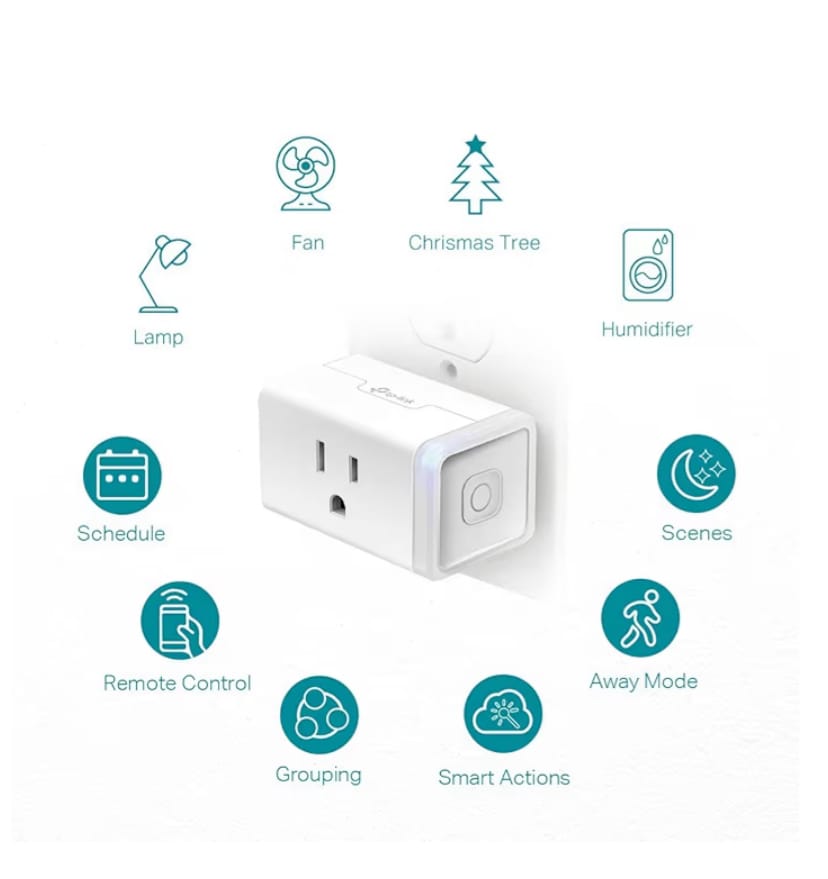
- Smart Plugs: Use Wi-Fi plugs with high-energy devices and track their impact in the Sense dashboard for more granular control.
- Solar Systems: If you have solar panels, integrate Sense Solar to measure both energy generation and consumption in one place.
- Home Automation Scenes: Connect Sense to smart hubs like SmartThings to trigger automated routines—for example, turning off lights when energy usage drops below a set threshold.
- IFTTT Automation: Use “If This Then That” (IFTTT) to create personalized actions, such as sending a notification when your washing machine finishes or when power consumption exceeds a limit.
These integrations extend the Sense Energy Monitor’s usefulness beyond energy tracking, turning it into a central hub for home efficiency and automation.
Comparison: Sense Energy Monitor vs. Emporia Vue Energy Monitor
To better understand how the Sense Energy Monitor stands out, let’s compare it with another popular option: the Emporia Vue Energy Monitor. Both are excellent tools for home energy tracking, but they differ in features, ease of use, and pricing.
| Feature | Sense Energy Monitor | Emporia Vue Energy Monitor |
|---|---|---|
| Installation Type | Professional (inside electrical panel) | DIY-friendly (with multiple sensors) |
| Device Detection | AI-powered automatic recognition | Manual circuit labeling |
| App Interface | Clean and intuitive, real-time updates | Detailed but more technical |
| Solar Monitoring | Available (Sense Solar version) | Available (built-in feature) |
| Smart Home Integration | Works with Alexa, Google Assistant, IFTTT | Limited integrations |
| Price Range | $$$ (Premium) | $$ (Affordable) |
| Best For | Homeowners wanting AI automation and simplicity | DIY users seeking manual energy management |
| Where to Buy | Amazon – Sense Energy Monitor | Amazon – Emporia Vue |
Technical Specifications of the Sense Energy Monitor
Below is a summary of the core specifications that make the Sense Energy Monitor one of the most advanced home energy tracking systems available today.
| Specification | Details |
|---|---|
| Model | Sense Home Energy Monitor |
| Power Source | Direct connection to electrical panel (240V) |
| Connectivity | Wi-Fi 802.11 b/g/n, 2.4GHz |
| App Compatibility | iOS, Android, and Web Dashboard |
| AI Device Detection | Yes (machine learning-based recognition) |
| Solar Monitoring | Optional with Sense Solar package |
| Smart Assistant Support | Amazon Alexa, Google Assistant, IFTTT |
| Installation | Professional recommended (30–45 minutes) |
| Data Storage | Cloud-based, encrypted, and accessible anytime |
These specifications combine to make Sense a premium, reliable, and future-ready energy monitoring solution for any modern household.
5. Real User Experiences and Why You Should Trust Sense Energy Monitor
The Sense Energy Monitor has earned the trust of thousands of homeowners who have discovered how much control it gives them over their electricity usage. Users praise its accuracy, the intuitive mobile app, and the sense of empowerment it provides when they see the cost of every appliance in real time.
5.1 What Real Customers Say
Many verified buyers highlight how the monitor helped them uncover hidden energy drains. For instance, one user found that their garage refrigerator was consuming far more power than expected, saving over $100 annually by replacing it. Others noted that Sense helped them detect failing devices before they broke completely — for example, a water pump that was cycling too often.
The mobile notifications feature also stands out among users. They receive alerts when major devices turn on or off, which helps them track energy use even when away from home. Homeowners with solar panels also love the ability to monitor both production and consumption in one intuitive dashboard.
5.2 Data Accuracy and Long-Term Reliability
Sense uses advanced machine learning to detect and learn the electrical signatures of each device in your home. Over time, the system becomes even more accurate. Unlike generic smart plugs, Sense doesn’t just measure one outlet — it gives you a whole-home view of your energy flow.
The app updates every second, and the company regularly improves algorithms through cloud updates. That means your Sense system will become smarter the longer you use it. This future-proof approach ensures long-term reliability and adaptability for any home setup.
5.3 Integration with Smart Home Ecosystems
Sense integrates smoothly with popular smart home platforms like Amazon Alexa, Google Assistant, and IFTTT. That means you can simply ask, “Alexa, how much energy am I using right now?” or automate routines like reducing heating or air conditioning when energy use spikes.
With these integrations, Sense transforms from a simple monitor into a true smart home control center — enabling energy optimization through automation and insight.
5.4 The Environmental and Financial Impact
Beyond saving money, the Sense Energy Monitor plays a crucial role in promoting sustainable living. By helping you reduce unnecessary power consumption, it lowers your carbon footprint. Over a year, typical users report saving between 8% and 15% on their electricity bills, which adds up significantly over time.
This reduction not only benefits your wallet but also contributes to a greener planet. It’s a practical and responsible step toward energy efficiency and sustainability — without compromising comfort.
6. Final Thoughts — Why Sense Energy Monitor Is Worth It
If you want to take control of your home’s energy use, lower your bills, and live more efficiently, the Sense Energy Monitor is a must-have tool. It combines precision technology, real-time insights, and seamless integration with your existing devices to create a smarter, more sustainable home.
The upfront investment quickly pays for itself through monthly energy savings and device longevity. Whether you’re a homeowner, renter, or solar user, Sense adapts to your needs and makes energy management intuitive and empowering.
In a world where every watt counts, the Sense Energy Monitor ensures you know exactly where your energy goes — and how to make the most of it.
👉 Ready to monitor your home’s energy smarter?
Discover how much you can save and gain full control over your electricity today. Get the Sense Energy Monitor on Amazon here.
Related articles
Is the Goal Zero Yeti the Ultimate Portable Power Station for 2025?
Is the Renogy Solar Panel Kit the Smart Energy Solution You’ve Been Searching For2025?
Pingback: Is The Jackery SolarSaga The Solar Upgrade Your Outdoor Adventures Have Been Missing? - EcoNex
Pingback: Is Wind Energy The Smart Power Solution You’ve Been Waiting For? Discover The Power Of Wind Energy, Eco-Worthy 2025 - EcoNex
Pingback: Why Should You Upgrade Your Home With The TP-Link Smart Plug Today 2025? - EcoNex