Table of contents
Table of Contents
Introduction – SwitchBot Bot vs Fingerbot Plus – Which One Should You Buy?
Let’s be honest—smart home gadgets are supposed to make life easier, but most of them require you to replace something. You want smart lights? Buy new bulbs. You want a smart garage door? Install a new opener. But what about all those dumb switches and buttons you already have—the coffee maker, the garage door button, the ceiling fan pull switch, the space heater?
That’s where the fingerbot comes in. It’s a tiny robotic finger that sticks onto a switch or button and physically presses it for you. No wiring, no replacing anything, no electrician. It’s one of the most clever and practical smart home devices on the market in 2026.
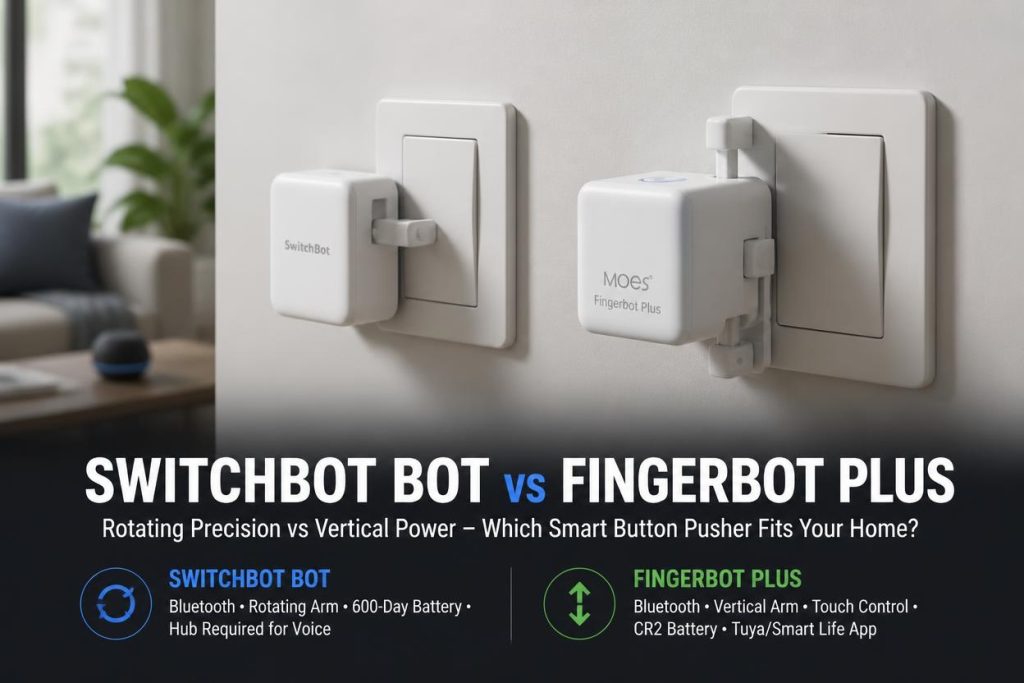
Two fingerbots dominate the conversation right now: the SwitchBot Bot and the MOES Fingerbot Plus. Both do the same basic thing—press a button for you—but they take very different approaches to connectivity, control, and automation. And picking the wrong one could leave you frustrated with a device that doesn’t fit your smart home ecosystem.
This brings us to the ultimate debate: SwitchBot Bot vs Fingerbot Plus – which one truly delivers the best balance of reliability, features, and value? In this comprehensive review, I’m breaking down everything you need to know about the SwitchBot Bot vs Fingerbot Plus showdown.
We’ll be comparing the SwitchBot Smart Switch Button Pusher and the MOES Fingerbot Plus across the categories that actually matter: setup, connectivity, app control, and real-world performance. By the time you finish reading this SwitchBot Bot vs Fingerbot Plus comparison, you’ll know exactly which one belongs in your home.
Let’s dive into this SwitchBot Bot vs Fingerbot Plus battle and find out which one truly delivers the best value for your money in 2026.
SwitchBot Bot – The Original Fingerbot with Bluetooth Simplicity
Overview
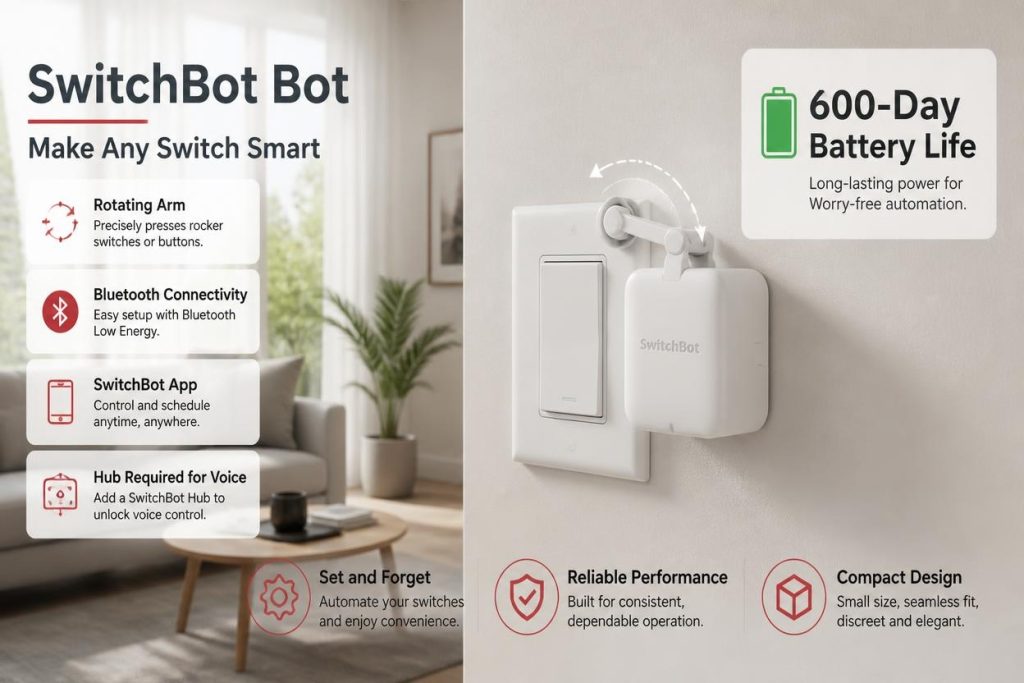
The SwitchBot Bot is the device that started the fingerbot category, and it’s a serious contender in the SwitchBot Bot vs Fingerbot Plus debate. This tiny white robot sticks onto any rocker switch or one-way button and physically presses it on command.
When you’re comparing SwitchBot Bot vs Fingerbot Plus, the first thing you’ll notice about the SwitchBot is its simplicity. It connects via Bluetooth, and you control it through the SwitchBot app. There’s no hub required for basic operation—you can control it directly from your phone within Bluetooth range. That’s a huge advantage for people who want a simple, self-contained solution without adding another hub to their home.
What really sets the SwitchBot Bot apart in the SwitchBot Bot vs Fingerbot Plus comparison is its ecosystem. SwitchBot has built a whole lineup of smart home devices—sensors, curtains, locks, cameras—that all work together through the SwitchBot Hub. If you’re building a SwitchBot ecosystem, the Bot integrates seamlessly.
The optional hub is the key to unlocking advanced features. Without the hub, the Bot is limited to Bluetooth range (about 30-50 feet) and app control. With the hub, you get voice control through Alexa and Google Assistant, remote control from anywhere, and integration with IFTTT and other smart home platforms.
The build quality is solid, and the 3M adhesive is strong enough to hold the Bot in place on most surfaces. The arm is adjustable, and you can swap it for different button types. The battery lasts around 600 days with normal use, which is excellent.
For anyone seriously considering the SwitchBot Bot vs Fingerbot Plus decision, the SwitchBot represents the best choice for people who want a proven, reliable device with a mature ecosystem.
✅ Key Features
- Bluetooth Connectivity: No hub required for basic app control within range.
- App Timer Control: Schedule the Bot to press buttons at specific times.
- No Wiring Required: Sticks onto existing switches and buttons.
- Adjustable Arm: Can be swapped for different button types.
- Long Battery Life: Around 600 days with normal use.
- Optional Hub: Unlocks voice control, remote access, and IFTTT integration.
- Mature Ecosystem: Integrates with other SwitchBot devices.
- Strong Adhesive: 3M adhesive holds securely on most surfaces.
❌ Limitations
- Hub Required for Voice/Remote: Alexa, Google, and remote access need the SwitchBot Hub.
- Bluetooth Range Limited: Without the hub, you need to be within 30-50 feet.
- No Touch Control: Can’t be activated by touching the device itself.
- Higher Price: More expensive than the Fingerbot Plus.
❓ What is a SwitchBot bot?
In the SwitchBot Bot vs Fingerbot Plus comparison, a SwitchBot Bot is a tiny robotic device that physically presses switches and buttons for you. It’s designed for rocker switches, one-way buttons, and other simple mechanical controls. You stick it onto the switch, pair it with your phone via Bluetooth, and control it through the SwitchBot app. It’s perfect for making dumb devices smart without rewiring or replacing anything.
❓ Is SwitchBot a Chinese brand?
In the SwitchBot Bot vs Fingerbot Plus comparison, yes—SwitchBot is a brand owned by Wonderlabs, a company headquartered in Shenzhen, China. However, the brand has a strong global presence, with customer support and distribution in the US and Europe. The products are well-regarded in the smart home community for their quality and reliability.
❓ Which is better, Fingerbot or SwitchBot?
In the SwitchBot Bot vs Fingerbot Plus comparison, the answer depends on your priorities. SwitchBot is better for people who want a proven, reliable device with a mature ecosystem and optional hub-based voice control. The Fingerbot Plus is better for people who want touch control and a slightly lower price. For most users, SwitchBot’s ecosystem and reliability give it the edge.
❓ How to setup SwitchBot bot?
In the SwitchBot Bot vs Fingerbot Plus comparison, setup is straightforward. You download the SwitchBot app, create an account, and press the button on the Bot to put it in pairing mode. The app walks you through the Bluetooth pairing process. Once paired, you stick the Bot onto your switch using the included 3M adhesive, adjust the arm to fit your button, and you’re ready to go. The whole process takes about five minutes.
👉🏻 Check the Latest Price on Amazon
MOES Fingerbot Plus – Touch Control and Tuya Ecosystem Integration
Overview
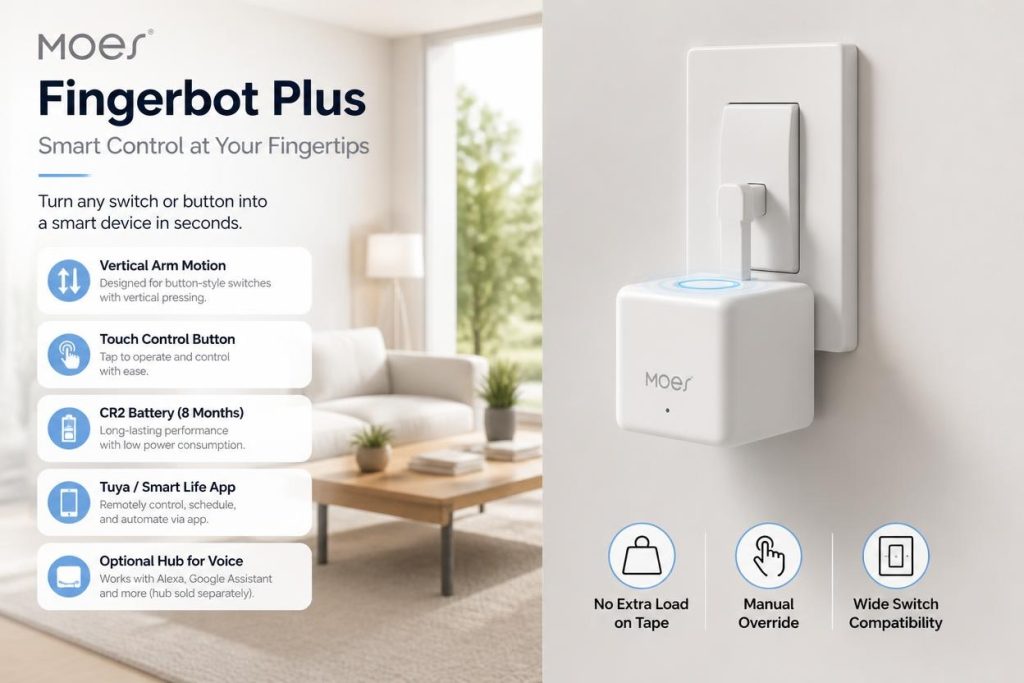
The MOES Fingerbot Plus is the challenger in the SwitchBot Bot vs Fingerbot Plus debate, and it brings some features that the SwitchBot lacks. This upgraded fingerbot adds touch control, meaning you can tap the device itself to trigger the button press—something the SwitchBot can’t do.
When you’re weighing the SwitchBot Bot vs Fingerbot Plus decision, the first thing you’ll notice about the Fingerbot Plus is its touch control feature. This is genuinely useful. If you’re walking past the coffee maker and want to turn it on without pulling out your phone, you just tap the Fingerbot Plus. It’s a small convenience that makes the device feel more integrated into your daily life.
What really sets the Fingerbot Plus apart in the SwitchBot Bot vs Fingerbot Plus comparison is its integration with the Tuya/Smart Life ecosystem. Tuya is one of the largest smart home platforms in the world, and it powers thousands of devices from dozens of brands. If you’re already using Smart Life or Tuya devices, the Fingerbot Plus fits right in.
The catch is that the Fingerbot Plus requires a Tuya Bluetooth hub to unlock voice control and remote access. Without the hub, it’s Bluetooth-only, just like the SwitchBot. The difference is that the Tuya hub is often cheaper than the SwitchBot hub, and it can support a wide range of other Tuya devices.
The build quality is decent, though slightly less premium than the SwitchBot. The 3M adhesive is strong, and the arm is adjustable. The battery life is around 600 days, similar to the SwitchBot.
For anyone seriously considering the SwitchBot Bot vs Fingerbot Plus decision, the Fingerbot Plus represents the best choice for people who want touch control and are already invested in the Tuya ecosystem.
✅ Key Features
- Touch Control: Tap the device itself to trigger a button press.
- Bluetooth Connectivity: No hub required for basic app control.
- Smart Life App: Works with the Tuya/Smart Life ecosystem.
- Optional Tuya Hub: Unlocks Alexa, Google Home, and timer control.
- No Wiring Required: Sticks onto existing switches and buttons.
- Adjustable Arm: Can be swapped for different button types.
- Long Battery Life: Around 600 days with normal use.
- Affordable Price: Cheaper than the SwitchBot Bot.
❌ Limitations
- Hub Required for Voice/Remote: Alexa and Google need the Tuya hub.
- Build Quality: Slightly less premium than SwitchBot.
- App Not as Polished: Smart Life is functional but not as refined as SwitchBot’s app.
- Tuya Ecosystem Dependency: Best experience requires Tuya-compatible devices.
❓ Does Fingerbot Plus require a hub for voice control and scheduling?
In the SwitchBot Bot vs Fingerbot Plus comparison, the answer is yes for voice control and remote scheduling. Without a hub, the Fingerbot Plus works via Bluetooth only, meaning you need to be within range to control it or set schedules. With a Tuya Bluetooth hub, you unlock Alexa, Google Home, and remote timer control from anywhere. The hub is sold separately, so factor that into the total cost.
❓ Is the 3M adhesive strong enough to stay put when the arm presses a stiff switch?
In the SwitchBot Bot vs Fingerbot Plus comparison, the 3M adhesive is generally strong enough for most switches. The Fingerbot Plus uses the same 3M adhesive as the SwitchBot, and it holds well on clean, flat surfaces. However, if you have a stiff switch that requires significant force, the adhesive may eventually loosen. For best results, clean the surface with rubbing alcohol before applying the adhesive, and consider using a small screw or bracket for extra security on high-traffic switches.
❓ Can the arm be adjusted or swapped to fit different button types?
In the SwitchBot Bot vs Fingerbot Plus comparison, yes—the Fingerbot Plus comes with adjustable arms that can be swapped for different button types. The package includes multiple arm attachments for rocker switches, toggle switches, and push buttons. You can also adjust the arm’s position to fine-tune the press depth. This flexibility makes it compatible with a wide range of switches and buttons.
👉🏻 Check the Latest Price on Amazon
Quick Comparison – SwitchBot Bot vs Fingerbot Plus
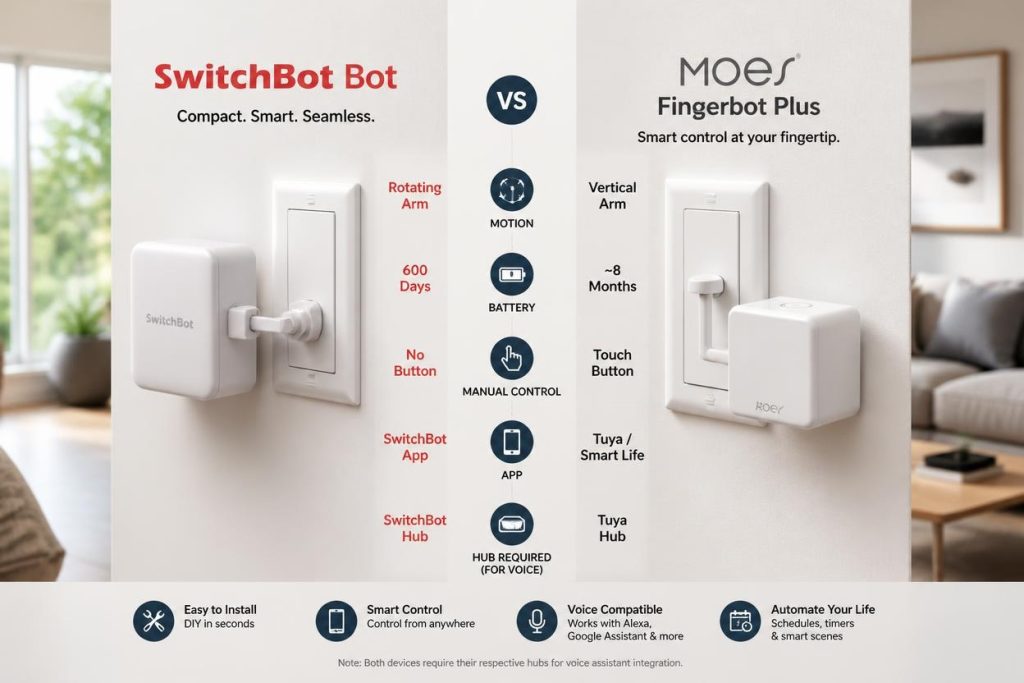
Before we dive deeper into the SwitchBot Bot vs Fingerbot Plus comparison, here’s a quick side-by-side look at how these two fingerbots stack up against each other across all the key categories that matter most to buyers in 2026.
| Feature | SwitchBot Bot | MOES Fingerbot Plus |
|---|---|---|
| Price | ~$30-40 | ~$25-35 |
| Connectivity | Bluetooth | Bluetooth |
| Hub Required for Voice | Yes – SwitchBot Hub | Yes – Tuya Hub |
| Touch Control | No | Yes |
| App | SwitchBot app | Smart Life app |
| Battery Life | ~600 days | ~600 days |
| Adjustable Arm | Yes | Yes |
| Ecosystem | SwitchBot | Tuya/Smart Life |
| Build Quality | Premium | Good |
| Best For | Reliability, ecosystem maturity | Touch control, Tuya users |
| Overall Value | Excellent for reliability | Excellent for features |
Breaking Down the Key Differences in the SwitchBot Bot vs Fingerbot Plus Comparison
Price: In the SwitchBot Bot vs Fingerbot Plus comparison, the Fingerbot Plus is slightly cheaper. You’re getting more features for less money.
Touch Control: The Fingerbot Plus wins in the SwitchBot Bot vs Fingerbot Plus comparison with its touch control feature. The SwitchBot doesn’t have this.
Ecosystem: The SwitchBot wins in the SwitchBot Bot vs Fingerbot Plus comparison for ecosystem maturity. SwitchBot has a full lineup of smart home devices that integrate seamlessly. Tuya is broader but less cohesive.
Build Quality: The SwitchBot wins in the SwitchBot Bot vs Fingerbot Plus comparison for premium feel and long-term durability.
Hub Cost: The Tuya hub is generally cheaper than the SwitchBot hub. In the SwitchBot Bot vs Fingerbot Plus comparison, this makes the Fingerbot Plus more affordable for voice control.
Performance, Price, and Usability – SwitchBot Bot vs Fingerbot Plus
Now that we’ve covered the specs and features in our SwitchBot Bot vs Fingerbot Plus comparison, let’s get into the real-world performance of both devices. After researching both extensively, I’ve broken down exactly how they perform across the categories that matter most to buyers trying to decide between SwitchBot Bot vs Fingerbot Plus.
Performance – Which One Presses Better?
The SwitchBot Bot delivers reliable performance in the SwitchBot Bot vs Fingerbot Plus comparison. The arm presses switches with consistent force, and the timing is accurate. The app is responsive, and the schedules work reliably. The build quality means it holds up over time, even on frequently used switches. The main performance limitation is that it requires the hub for voice control and remote access.
The Fingerbot Plus delivers solid performance in the SwitchBot Bot vs Fingerbot Plus comparison. The touch control is a nice addition, and the arm presses switches effectively. The Smart Life app is functional, and schedules work well. The build quality is decent, though slightly less premium than the SwitchBot. The main performance caveat is that the app isn’t as polished, and Tuya integration can occasionally be finicky.
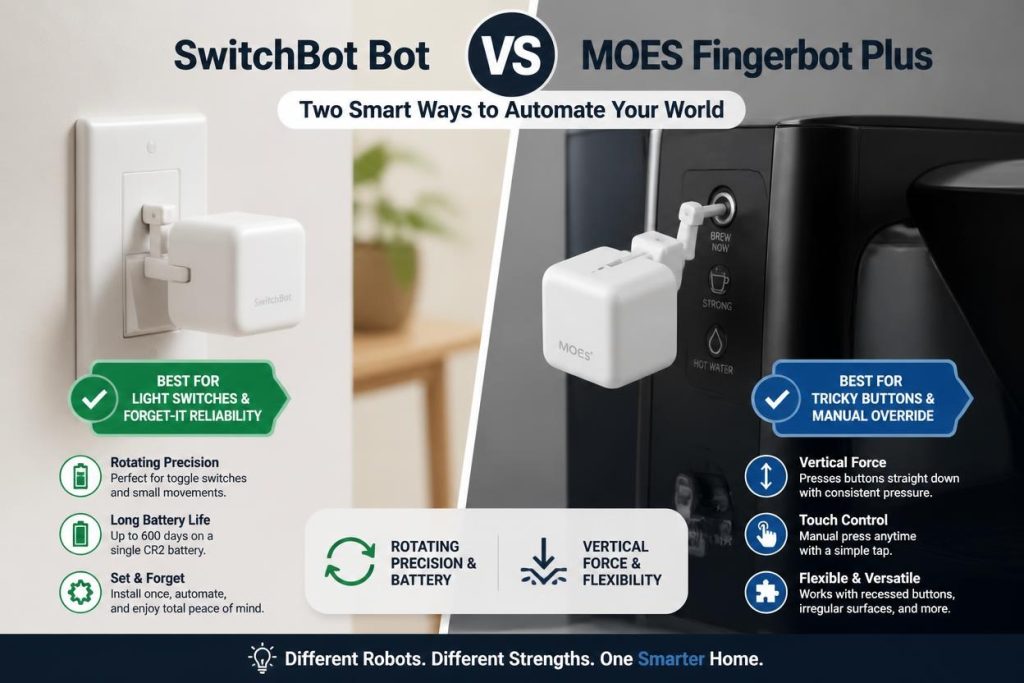
Which one performs better in the SwitchBot Bot vs Fingerbot Plus comparison? The SwitchBot wins for reliability and build quality. The Fingerbot Plus wins for touch control and value.
Price – The Budget Factor
Let’s talk money, because this is where the difference in the SwitchBot Bot vs Fingerbot Plus comparison is significant.
The SwitchBot Bot costs around $30-40. In the SwitchBot Bot vs Fingerbot Plus price comparison, this is a reasonable price for a proven, reliable device. Add the hub for voice control, and you’re looking at an additional $30-40.
The Fingerbot Plus costs around $25-35. In the SwitchBot Bot vs Fingerbot Plus comparison, this is slightly cheaper, and the Tuya hub is often cheaper than the SwitchBot hub.
Which one offers better value in the SwitchBot Bot vs Fingerbot Plus comparison? The Fingerbot Plus offers better value for features and price. The SwitchBot offers better value for long-term reliability and ecosystem integration.
Usability – Which One Is Easier to Live With?
The SwitchBot Bot is easy to live with in the SwitchBot Bot vs Fingerbot Plus comparison. The app is polished and intuitive, and the device is reliable. The main friction point is the hub—it’s another device to plug in and another app to manage.
The Fingerbot Plus is also easy to live with in the SwitchBot Bot vs Fingerbot Plus comparison. The touch control is genuinely convenient, and the Smart Life app is functional. The main friction point is that the app isn’t as polished as SwitchBot’s, and Tuya integration can sometimes require troubleshooting.
Which one is more usable in the SwitchBot Bot vs Fingerbot Plus comparison? The SwitchBot is more polished and reliable. The Fingerbot Plus is more convenient with touch control.
Which One Should You Choose?
Choose the SwitchBot Bot if:
- You want a proven, reliable fingerbot with a mature ecosystem.
- You’re already invested in SwitchBot devices.
- You prefer a polished app experience.
- You want the best build quality.
- You don’t need touch control.
- You’re willing to buy the hub for voice control.
Choose the Fingerbot Plus if:
- You want touch control for quick, phone-free activation.
- You’re already using Tuya or Smart Life devices.
- You want a slightly lower price.
- You want a cheaper hub option for voice control.
- You don’t mind a slightly less polished app.
- You want more features for your money.
Final Verdict – The Winner in 2026
After thoroughly researching both devices for this SwitchBot Bot vs Fingerbot Plus review, my recommendation depends on your priorities:
If you want the most reliable, polished, and ecosystem-friendly fingerbot, the SwitchBot Bot is the clear winner. Its build quality, app experience, and integration with other SwitchBot devices make it the safer choice for most smart homes.
However, if you want touch control, a slightly lower price, and you’re already using Tuya or Smart Life devices, the Fingerbot Plus is the better choice. Its touch control feature is genuinely useful, and the Tuya ecosystem is vast.
In the SwitchBot Bot vs Fingerbot Plus battle, I recommend the SwitchBot Bot for most people because of its reliability and polished experience. But if touch control and budget are your priorities, the Fingerbot Plus is a fantastic alternative.
Ready to Buy? Shop Now
🔥 Recommended Product:
👉🏻 Buy SwitchBot Bot on Amazon
Alternative Option:
👉🏻 Buy MOES Fingerbot Plus on Amazon
Frequently Asked Questions
1. Which is better – SwitchBot Bot or Fingerbot Plus?
In the SwitchBot Bot vs Fingerbot Plus comparison, SwitchBot is better for reliability and ecosystem maturity. Fingerbot Plus is better for touch control and value.
2. Do these fingerbots require a hub?
In the SwitchBot Bot vs Fingerbot Plus comparison, neither requires a hub for basic Bluetooth app control. Both require a hub for voice control (Alexa/Google) and remote access.
3. Can I use these fingerbots with any switch?
In the SwitchBot Bot vs Fingerbot Plus comparison, both work with most rocker switches, toggle switches, and push buttons. The adjustable arms allow compatibility with different switch types.
4. How long do the batteries last?
In the SwitchBot Bot vs Fingerbot Plus comparison, both devices claim around 600 days of battery life with normal use. Heavy daily use will reduce that figure.
Disclaimer: This post contains affiliate links. If you make a purchase through these links, I may earn a commission at no additional cost to you. All opinions expressed are my own based on thorough research and analysis.

Adrian
Just like you, I was tired of paying crazy electricity bills every month. Today, after 4 years of trial and error, my smart home uses less than half the energy it used to. I share everything I’ve learned — so you don’t have to make the same mistakes.
Let’s Connect ↓
Adrian — Owner of EcoNex
Solar | Smart Home | Lower bills