
Table of contents
Table of Contents
Are You Ready to Experience Streaming Like Never Before?
Have you ever felt frustrated by slow streaming, endless buffering, or low-quality video when watching your favorite movies and shows? In an age where entertainment rules our free time, finding the perfect streaming device is no longer a luxury—it’s a necessity. Enter the Roku Streaming Stick 4K, a compact yet powerful device that delivers lightning-fast streaming, vivid 4K HDR visuals, and an effortless interface designed for every kind of viewer.
The demand for smarter, more reliable entertainment technology has skyrocketed. Viewers are cutting the cord, ditching traditional cable subscriptions, and embracing streaming as the new standard. The Roku Streaming Stick 4K steps up to meet this shift with elegance and power. It turns any ordinary TV into a fully smart entertainment hub within seconds, providing instant access to thousands of apps—from Netflix and Hulu to Disney+, Prime Video, and YouTube TV—all in stunning 4K HDR resolution.
In this comprehensive review, we’ll explore what makes the Roku Streaming Stick 4K a must-have for movie lovers, binge-watchers, and casual viewers alike. You’ll learn everything from how it works to its unique features, benefits for everyday life, and even some insider tips to get the best out of your device. Whether you’re upgrading your home theater or looking for a portable streaming companion, this guide will help you understand why Roku remains one of the most trusted names in entertainment technology.
What Is the Roku Streaming Stick 4K?
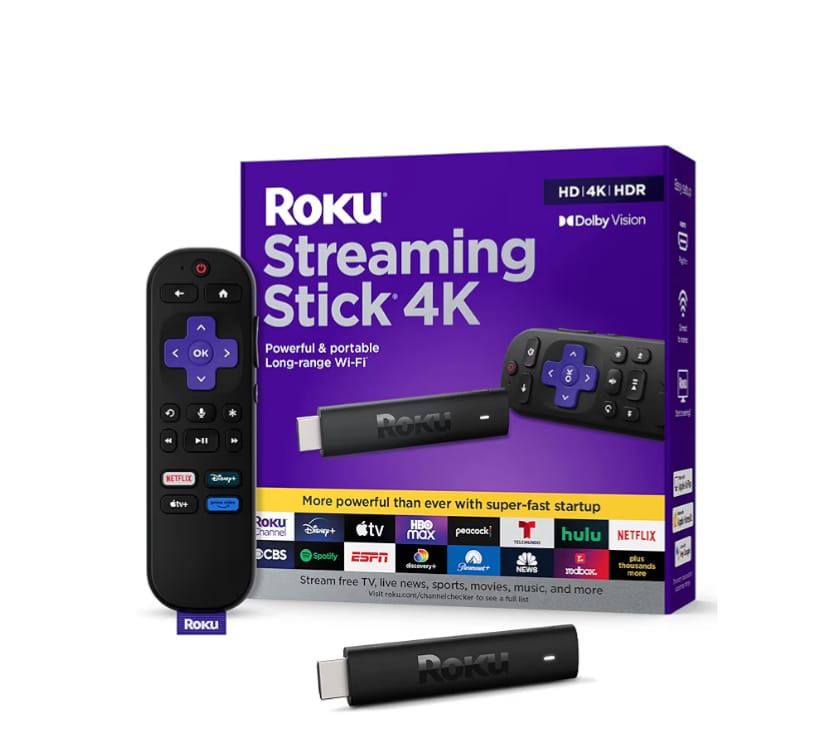
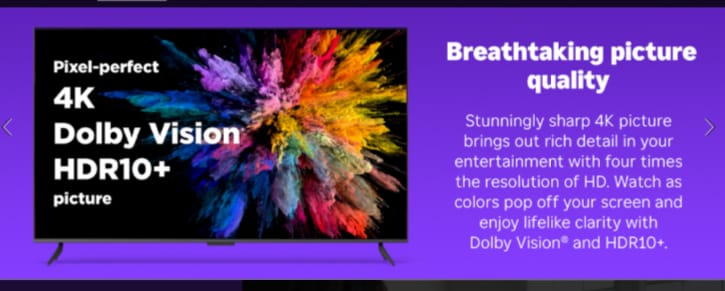
The Roku Streaming Stick 4K is a sleek, pocket-sized device designed to plug directly into the HDMI port of your TV, transforming it instantly into a smart TV. Despite its small size, it’s powered by one of the fastest Roku processors to date, ensuring quick navigation and seamless app performance. With support for 4K Ultra HD, HDR10+, and Dolby Vision, this device delivers breathtaking picture quality that enhances every scene with incredible clarity and color depth.
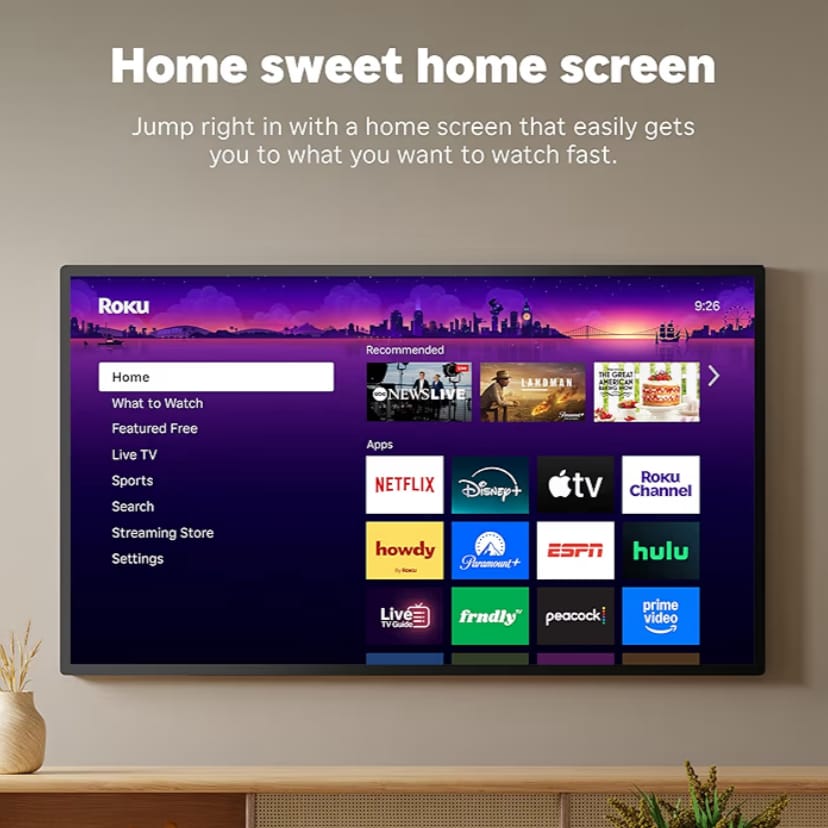
Setting it up is simple: plug it in, connect it to Wi-Fi, sign in to your favorite streaming services, and start watching. It’s that easy. The Roku platform gives you access to over half a million movies and TV episodes through free and paid channels. Its intuitive interface and customizable home screen make browsing effortless—even for first-time users.
What truly sets the Roku Streaming Stick 4K apart is its compatibility and portability. You can move it between TVs in seconds, take it on vacations, or even use it in hotel rooms with a simple Wi-Fi connection. Plus, with the included Roku Voice Remote, you can control your TV power, volume, and streaming—all hands-free. Whether you’re searching for the latest blockbuster, asking for weather updates, or launching Netflix, a simple voice command gets it done instantly.
In essence, the Roku Streaming Stick 4K is not just a streaming device—it’s a gateway to a smarter, faster, and more enjoyable entertainment lifestyle. Its blend of affordability, versatility, and superior performance makes it a top contender for anyone looking to elevate their home entertainment setup in 2025.
Roku Streaming Stick 4K Features and Step-by-Step Guide
Top Features of Roku Streaming Stick 4K
The Roku Streaming Stick 4K isn’t just another streaming device—it’s a refined combination of speed, simplicity, and smart technology that makes entertainment effortless. Below are the key features that make it one of the most popular streaming sticks on the market in 2025:
- 4K Ultra HD Streaming: Enjoy breathtaking visuals with crisp detail and vibrant colors. The device supports resolutions up to 4K Ultra HD for a cinematic experience right in your living room.
- HDR10+ and Dolby Vision: Get richer contrast and lifelike color accuracy thanks to advanced HDR formats, perfect for modern TVs with enhanced display technology.
- High-Speed Performance: Powered by a fast quad-core processor, the Roku Streaming Stick 4K ensures smoother navigation, quick app launches, and minimal buffering—even with multiple apps running.
- Wi-Fi 5 (Dual-Band) Technology: Stream seamlessly across your home with an upgraded wireless receiver that provides stronger signal coverage and stable connectivity.
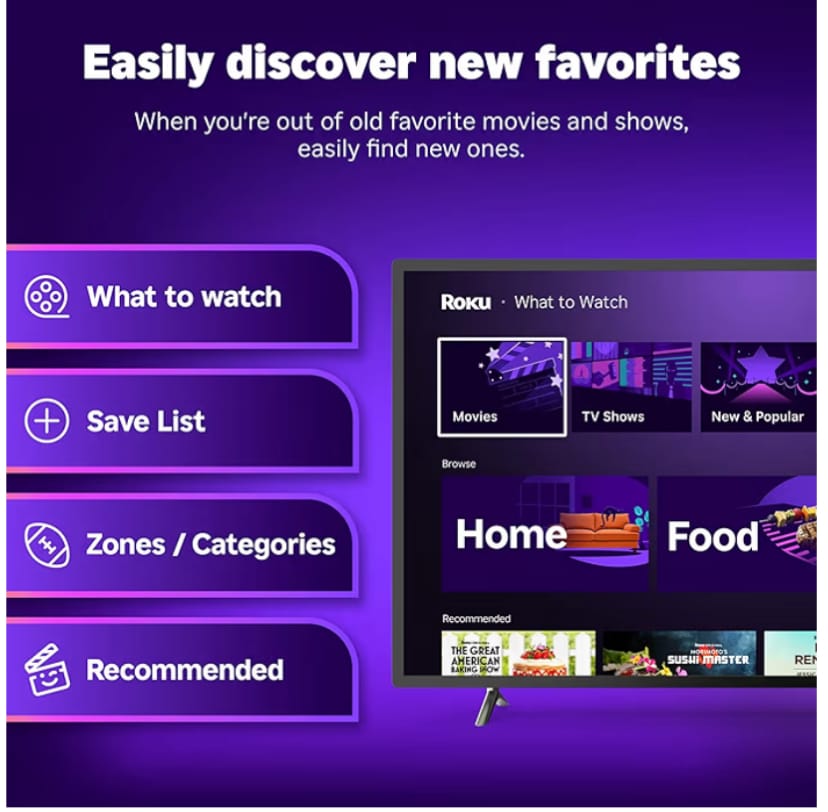
- Roku OS Interface: Intuitive and customizable, the Roku operating system allows users to organize apps, discover trending shows, and access streaming services in just seconds.
- Voice Remote with TV Controls: Control power, volume, and streaming apps using voice commands. Simply say, “Play Stranger Things on Netflix,” and your show starts instantly.
- Portable and Travel-Friendly: Its compact size makes it perfect for travelers. Bring it to your hotel room or a friend’s house—just plug it in and stream on the go.
- Wide Compatibility: Works with all major streaming platforms including Netflix, Disney+, Hulu, HBO Max, Prime Video, Apple TV, YouTube, and thousands more.
- Automatic Software Updates: Roku regularly updates its software to improve security, add new channels, and ensure top performance.
- Private Listening Feature: Pair your smartphone or wireless headphones to enjoy late-night watching without disturbing others.
Together, these features create a smooth, immersive, and convenient viewing experience that adapts to every household’s entertainment needs.
Step-by-Step Guide: How to Use the Roku Streaming Stick 4K
Setting up and using the Roku Streaming Stick 4K is surprisingly easy—even for those new to streaming devices. Below is a simple guide to help you get started and make the most of your Roku experience:
- Unbox Your Roku: Inside the box, you’ll find the Roku Streaming Stick 4K, Roku Voice Remote, two AAA batteries, a USB power cable, and a power adapter.
- Connect to Your TV: Plug the Roku Streaming Stick 4K directly into your TV’s HDMI port. If your TV is mounted in a tight space, you can use an HDMI extender for better access.
- Power It Up: Connect the included USB power cable to the Roku device and plug it into a wall outlet using the power adapter for the best performance.
- Turn on the TV: Use your TV remote to switch to the correct HDMI input where your Roku is connected.
- Pair the Roku Remote: Insert the batteries, and the remote should automatically pair with your device. If not, follow the on-screen instructions to complete the pairing.
- Connect to Wi-Fi: Choose your wireless network, enter the password, and wait for Roku to establish the connection.
- Activate Your Roku Account: You’ll be prompted to visit the Roku website on your phone or computer to link your device using a unique code displayed on your TV.
- Install Streaming Apps: Browse the Roku Channel Store to download your favorite streaming services like Netflix, Disney+, or YouTube TV.
- Customize Your Home Screen: Arrange your apps in your preferred order for easy access. You can also set themes and screensavers to personalize your viewing space.
- Start Streaming: Once setup is complete, simply use your Roku Voice Remote to search for content, adjust volume, or control playback. You’re now ready to enjoy 4K streaming like never before!
With these simple steps, your Roku Streaming Stick 4K will be up and running within minutes, turning any TV into a complete entertainment powerhouse. Whether you’re streaming sports, movies, or YouTube videos, you’ll experience a level of convenience and quality that makes this device stand out from the competition.
How Roku Streaming Stick 4K Enhances Your Everyday Life
How Roku Streaming Stick 4K Improves Your Daily Life
The Roku Streaming Stick 4K does more than just stream—it enhances your entire entertainment routine, bringing comfort, flexibility, and control right into your living room. Here’s how it transforms daily life for modern households:
- Seamless Entertainment Hub: Access all your favorite shows, movies, sports, and apps from one place—no need to juggle multiple remotes or devices.
- Save Time and Effort: With its voice command feature, you can instantly find your favorite shows without typing or searching manually.
- Portable Convenience: Whether at home or traveling, the Roku Streaming Stick 4K fits easily in your bag. Plug it into any compatible TV, connect to Wi-Fi, and stream your usual content anywhere.
- Energy Efficient: Unlike large streaming boxes or consoles, Roku uses minimal power, reducing electricity costs while maintaining high performance.
- Multi-User Flexibility: Each family member can personalize their own app lineup and preferences, ensuring a tailored viewing experience.
- Perfect for All Ages: Its user-friendly interface is simple enough for kids and seniors alike. Plus, parental controls make it safe for younger viewers.
- Enhanced Connectivity: Roku easily connects to soundbars, speakers, and smart assistants like Alexa or Google Home, creating a seamless smart home ecosystem.
Whether you’re catching up on your favorite shows after a long day or streaming music while cooking dinner, Roku Streaming Stick 4K fits effortlessly into your lifestyle. It redefines entertainment as a blend of relaxation, convenience, and innovation.
Real User Stories: How Roku Streaming Stick 4K Made a Difference
Nothing proves the value of a product like real experiences from people who use it every day. Here are some authentic stories from Roku users who upgraded their entertainment game with the Roku Streaming Stick 4K:
Sarah, a Working Mom from California: “Between my job and kids, I barely have time to relax. The Roku Streaming Stick 4K made it easy for me to stream Disney+ and YouTube Kids instantly. No setup stress—just plug in and watch. It’s a lifesaver for family movie nights!”
David, a Digital Nomad: “I travel frequently, and this tiny stick is my go-to entertainment companion. I can plug it into any hotel TV, connect to Wi-Fi, and instantly access my Netflix and Hulu accounts. It’s like carrying my home theater in my backpack.”
Olivia, a Retired Teacher: “Technology can be confusing, but Roku made it simple. The voice remote is a blessing—I just tell it what I want to watch. The picture quality is beautiful, and it never lags. I feel like I’m living in the future.”
These stories highlight what makes Roku so universally loved—it’s not just for tech enthusiasts but for anyone who wants an easy, enjoyable way to watch what they love. The combination of accessibility, reliability, and quality makes Roku Streaming Stick 4K a household favorite.
Top 5 Tips to Get the Best Out of Your Roku Streaming Stick 4K
To maximize your streaming experience, here are five expert tips that can make your Roku Streaming Stick 4K even more enjoyable:
- Use a Strong Wi-Fi Connection: For smoother playback, connect to a 5GHz network when available. This reduces buffering and improves video quality.
- Keep Software Updated: Roku automatically updates, but checking for updates manually ensures you always have the latest performance and security features.
- Customize Your Home Screen: Arrange your favorite apps and channels for quick access and a cleaner layout.
- Enable Private Listening: Use the Roku mobile app or Bluetooth headphones to enjoy late-night shows without disturbing others.
- Use Voice Commands Smartly: Beyond searching for shows, you can use voice commands to control playback, open settings, or switch inputs effortlessly.
Follow these tips to unlock the full power of your Roku Streaming Stick 4K and elevate your home entertainment experience to a whole new level of convenience and quality.
Smart Ways to Use Roku Streaming Stick 4K and Avoid Common Mistakes
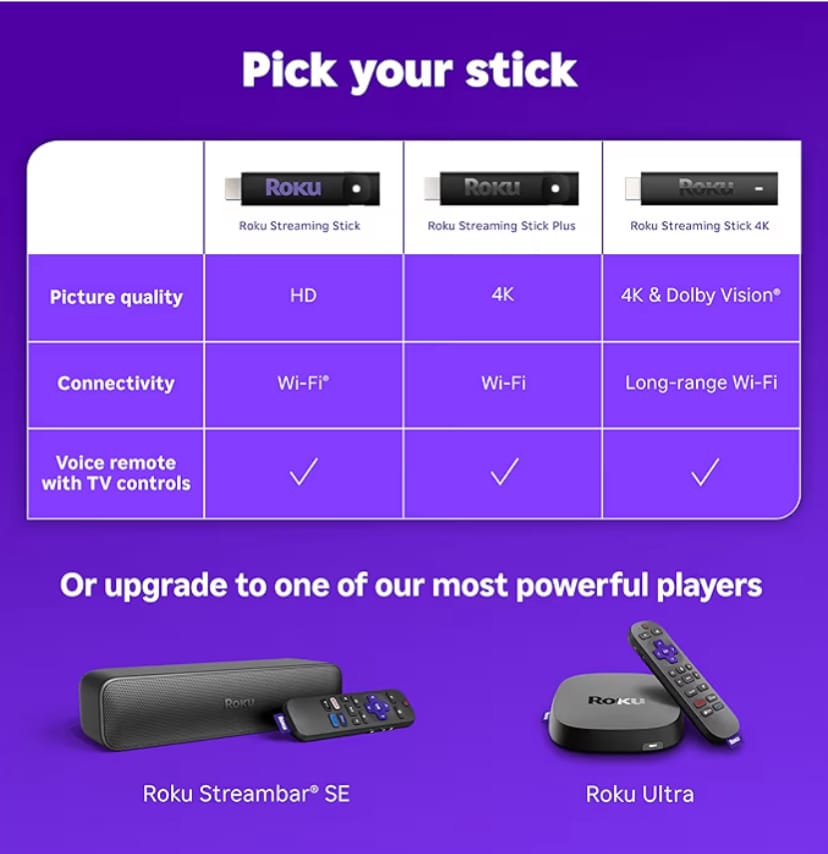
Common Mistakes When Using Roku Streaming Stick 4K (and How to Avoid Them)
Even though the Roku Streaming Stick 4K is one of the easiest streaming devices to use, some users still run into small issues due to setup errors or overlooked features. Here are the most common mistakes—and how to fix them:
- Using a Weak Wi-Fi Connection: Streaming requires stable internet. Always connect to a 5GHz network when possible for smoother, lag-free playback.
- Ignoring Software Updates: Outdated software can cause app crashes or missing channels. Go to Settings > System > System Update to keep it current.
- Not Using the Voice Remote Fully: Many users forget that Roku’s remote supports voice commands. Use it to search faster, change inputs, and even control your TV volume.
- Incorrect Power Source: Some users plug the Roku Stick into the TV’s USB port, which can limit power. For best performance, always use the provided wall adapter.
- Skipping Account Activation: Without linking your Roku account, you miss out on syncing preferences, purchases, and channels. Complete activation for full functionality.
By avoiding these mistakes, you’ll enjoy a flawless streaming experience and extend your device’s lifespan.
Creative Ways to Integrate Roku Streaming Stick 4K with Other Devices
The versatility of the Roku Streaming Stick 4K makes it a perfect fit for modern connected homes. Here are some innovative ideas to enhance your streaming experience:
- Pair with Smart Speakers: Connect Roku to your Amazon Alexa or Google Home to control playback, launch apps, or search by voice across your smart home system.
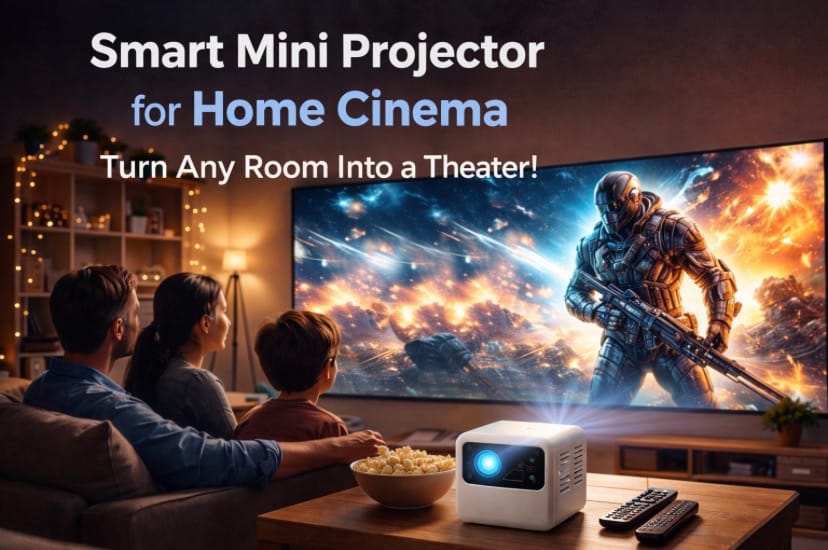
- Use with a Portable Projector: Take movie nights outdoors by connecting Roku to a mini projector. Stream Netflix or Disney+ under the stars—perfect for backyard gatherings.
- Integrate with a Soundbar: Enhance your audio experience by connecting Roku to a Dolby Atmos or Bluetooth-enabled soundbar for immersive surround sound.
- Connect to a Travel Router: On the go? Pair Roku with a small travel router to simplify hotel Wi-Fi logins and access your favorite channels anywhere.
- Sync with Roku Mobile App: Use the app for private listening, voice search, and as a second remote—ideal for multitasking while watching TV.
These creative combinations not only make entertainment more enjoyable but also showcase the flexibility and smart design of the Roku Streaming Stick 4K.
Roku Streaming Stick 4K vs. Amazon Fire TV Stick 4K: Which Is Better?
Both devices are leading choices for 4K streaming, but they offer slightly different experiences. Here’s a quick comparison to help you decide:
| Feature | Roku Streaming Stick 4K | Amazon Fire TV Stick 4K |
|---|---|---|
| Resolution Support | Up to 4K Ultra HD, HDR10+, Dolby Vision | Up to 4K Ultra HD, HDR10+, Dolby Vision |
| Operating System | Roku OS (Simple & Ad-Free) | Fire OS (Amazon Ecosystem Focused) |
| Voice Control | Roku Voice Remote (Hands-Free) | Alexa Voice Remote |
| App Availability | Thousands of Free & Paid Apps | Extensive Amazon App Store |
| Performance | Fast Quad-Core Processor | Quad-Core Processor |
| Ease of Use | Very Simple & Beginner-Friendly | More Advanced, Requires Amazon Account |
| Price Range (Approx.) | $49.99 | $49.99 |
| Buy on Amazon | Click Here to Buy Roku | Check Fire TV Stick |
While both offer similar hardware, Roku Streaming Stick 4K wins on simplicity, interface design, and ad-free operation. It’s ideal for users who want quick, intuitive streaming without being tied to one ecosystem.
Roku Streaming Stick 4K: Technical Specifications
| Specification | Details |
|---|---|
| Model | Roku Streaming Stick 4K (3820R) |
| Video Output | 4K Ultra HD, HDR10+, Dolby Vision |
| Processor | Quad-Core CPU |
| Connectivity | Wi-Fi 5 Dual-Band, HDMI 2.0b |
| Audio Support | Digital Stereo, Dolby-encoded audio over HDMI |
| Voice Assistant Compatibility | Alexa, Google Assistant, Siri (via Apple AirPlay) |
| Dimensions | 0.8 x 0.8 x 3.7 inches |
| Weight | 26 grams |
| Included Accessories | Voice Remote, Power Adapter, USB Cable, AAA Batteries |
| Price | Approx. $49.99 (Amazon) |
These specifications demonstrate why the Roku Streaming Stick 4K continues to dominate the streaming device market—compact, fast, and feature-packed for an unbeatable price.
Buy Roku Streaming Stick 4K Today and Upgrade Your Entertainment
Get Your Roku Streaming Stick 4K Today!
Are you ready to take your home entertainment to the next level? The Roku Streaming Stick 4K delivers stunning visuals, lightning-fast performance, and endless entertainment options—all in a sleek, portable design. Whether you’re a movie lover, gamer, or binge-watcher, this is the upgrade your home deserves.
Don’t wait—experience the future of streaming today!
- 🎬 Stream in 4K HDR quality with Dolby Vision support
- 🗣️ Control your TV and content hands-free with voice commands
- ⚡ Enjoy faster load times and smoother playback
- 💡 Perfect for home, travel, and on-the-go entertainment
👉 Get Roku Streaming Stick 4K Now on Amazon!
Start your streaming journey today and make your TV smarter than ever before. Click the link above to order directly from Amazon and enjoy the best of entertainment in 4K brilliance.
Conclusion: Why Roku Streaming Stick 4K Is Worth It
The Roku Streaming Stick 4K stands as a testament to how far streaming technology has come. It combines exceptional video quality, intuitive navigation, and impressive speed—all in a device that fits in your hand. For anyone seeking an effortless, budget-friendly way to access thousands of channels and premium content, Roku delivers unmatched value.
From family movie nights to solo binge sessions, this device redefines what smart streaming should feel like—simple, seamless, and spectacular. Its portability means your entertainment travels with you, while its compatibility with Alexa, Google Assistant, and Apple AirPlay 2 makes it a true hub for your connected life.
As streaming continues to evolve, devices like the Roku Streaming Stick 4K are shaping the future of how we watch, connect, and enjoy. Stay tuned for our upcoming reviews of complementary smart home devices, like the Amazon Fire TV Stick 4K Max and the Google Chromecast with Google TV, to help you build the ultimate home entertainment system.
Ready to experience effortless 4K streaming? Buy the Roku Streaming Stick 4K now and transform your TV into a smart powerhouse!
Related articles
Is the Instant Pot Smart the Future of Home Cooking2025?
Is the Alexa Echo Dot the Smart Home Upgrade You’ve Been Waiting For 2025?
Why Choose the Ring Floodlight Cam Wired Plus? Discover the Ultimate Home Security Upgrade! 2025

Adrian
Just like you, I was tired of paying crazy electricity bills every month. Today, after 4 years of trial and error, my smart home uses less than half the energy it used to. I share everything I’ve learned — so you don’t have to make the same mistakes.
Let’s Connect ↓
Adrian — Owner of EcoNex
Solar | Smart Home | Lower bills
Pingback: Why Samsung SmartThings Hub Is The Heart Of Every Smart Home - EcoNex
Pingback: Review: Apple TV 4K Vs Chromecast – Which One Is Worth Your Money In 2026? - EcoNex